
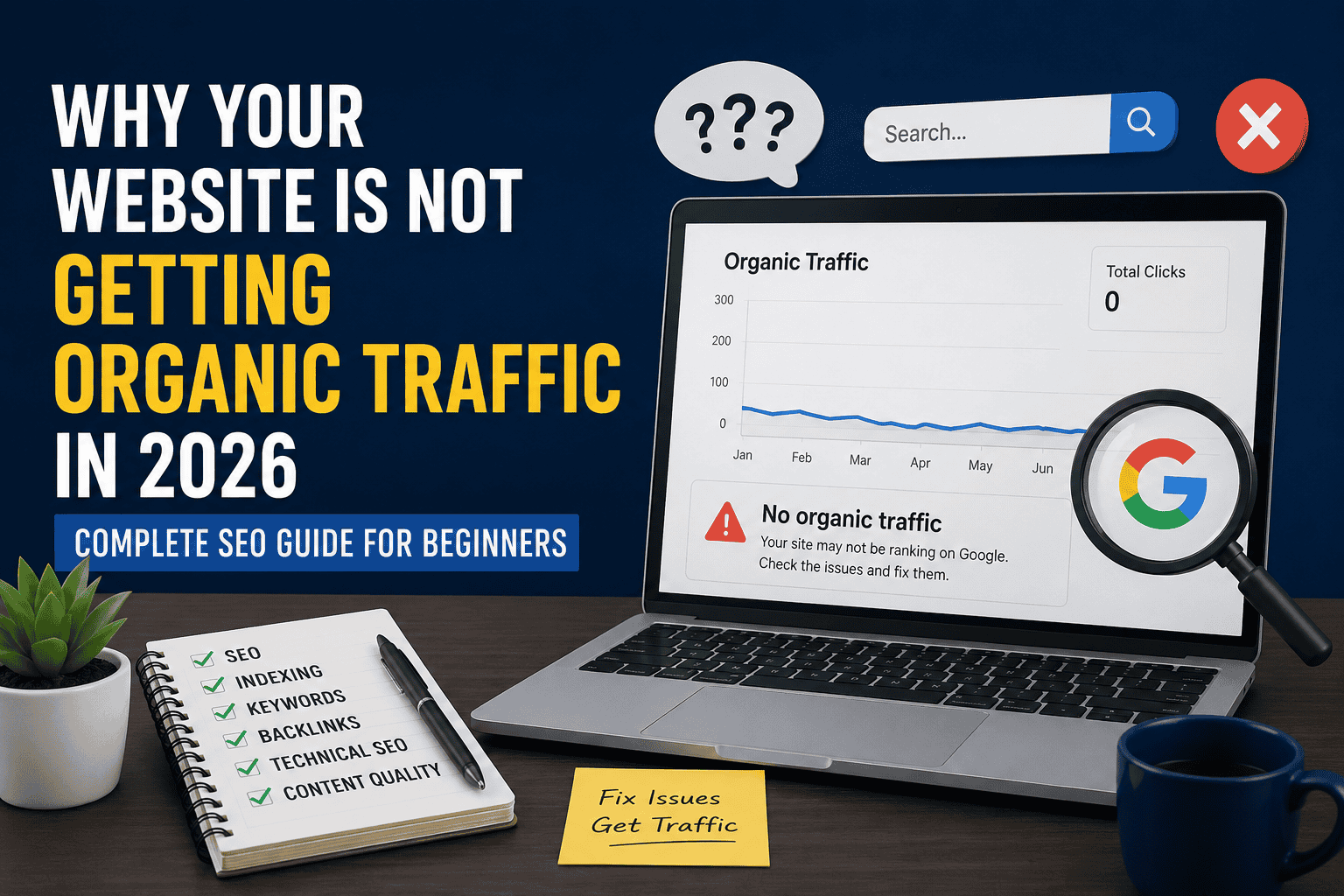
Why Your Website Is Not Getting Organic Traffic in 2026 (Complete SEO Guide for Beginners)

Last Updated: July 2026
Key Takeaways
- Ranking on Google in 2026 needs technical health, useful content, real experience (EEAT), and a good user experience working together — not just one of them.
- If your site isn’t indexed, nothing else matters. Check Google Search Console first.
- Thin, duplicate, or “written for Google” content is one of the biggest reasons sites lose organic traffic today.
- Core Web Vitals and mobile usability directly affect whether Google wants to rank your pages.
- Backlinks and topical authority still matter, but they only work once the technical and content basics are fixed.
- Free tools like Search Console, PageSpeed Insights, and Google Analytics 4 can diagnose almost every traffic problem without spending money.
Introduction
You published your article. You waited. You checked your analytics every day. And the number stayed the same: zero, or close to it.
If that sounds familiar, you’re not alone. Every day, thousands of website owners ask the same question: why isn’t my site getting organic traffic, even though I wrote good content?
The honest answer is that organic traffic is never the result of one single factor. It’s the outcome of many smaller things working together — technical health, content quality, search intent, site structure, backlinks, and user experience. If even two or three of these pieces are broken, Google may choose not to rank you, no matter how much effort you put into writing.
This guide walks through, in plain language, exactly why your website is not getting organic traffic, how to diagnose each problem, and how to fix it step by step. It’s written for beginners — bloggers, small business owners, freelancers, and affiliate marketers — so there’s no unnecessary jargon, just practical explanations you can act on today.
What Is Organic Traffic?
Organic traffic is the number of visitors who land on your website through unpaid, natural search engine results — for example, someone typing a question into Google and clicking your page from the results list, without you paying for that click.
It’s different from other traffic types in an important way: you don’t pay per visitor. Instead, you “earn” the visit by having a page that Google’s algorithm judges to be relevant, trustworthy, and useful for that search.
Organic vs. Direct vs. Referral vs. Social vs. Paid Traffic
| Traffic Type | How It Happens | Example | Do You Pay For It? |
| Organic | Visitor clicks your site from unpaid search results | Someone searches “best budget laptops” and clicks your blog post | No |
| Direct | Visitor types your URL directly or uses a bookmark | Someone types yourblog.com into their browser | No |
| Referral | Visitor clicks a link to your site from another website | A niche forum links to your review page | No |
| Social | Visitor arrives from a social media platform | Someone clicks your link from an Instagram bio | No (unless boosted) |
| Paid | Visitor clicks a paid advertisement | Someone clicks a Google Ads result at the top of the page | Yes |
Understanding this difference matters because many beginners mix these numbers together in Google Analytics and assume their SEO is working, when in reality most of their traffic is direct or referral, not organic search. For a deeper look at building this channel long-term, see our Ultimate Guide to Organic Traffic Growth in 2026.
Why Your Website Is Not Getting Organic Traffic
There is rarely one single cause. Below are the most common reasons — technical, content-related, and experience-related — that stop websites from ranking and earning clicks in 2026.
1. Your Website Is Not Indexed
If Google hasn’t indexed your page, it cannot appear in search results at all, regardless of how good the content is. This is the single most overlooked reason for zero organic traffic.
How to check: Search site:yourdomain.com in Google, or use the URL Inspection tool inside Google Search Console. If you’re not sure how to use these tools, our complete beginner’s guide to Google Search Console walks through the whole setup.
2. Wrong Keyword Research
Many beginners write about what they think people search for, instead of what people actually type into Google. This mismatch means your content may be excellent, but nobody is searching for the exact phrase you optimized for.
3. Targeting High-Competition Keywords
New or small websites often try to rank for broad, highly competitive terms like “digital marketing” or “weight loss,” which are dominated by established, high-authority sites. Beginners typically need to start with longer, more specific phrases that have less competition.
4. Thin Content
Thin content refers to pages that are too short, too generic, or add little value beyond what’s already available elsewhere. Google’s Helpful Content system is specifically designed to identify and demote thin, low-value pages.
5. Duplicate Content
If your content closely matches content on other pages — either on your own site or elsewhere on the web — Google may struggle to decide which version to rank, and often chooses neither.
6. Poor Search Intent Matching
Search intent is what the searcher actually wants. If someone searches “how to bake bread” and your page is a product page selling bread machines, you’re mismatched with intent, even if your keyword usage is technically correct.
7. Weak Title Tags
Your title tag is the first thing both Google and searchers see. A vague, generic, or keyword-stuffed title tag reduces both your ranking potential and your click-through rate.
8. Poor Meta Descriptions
While meta descriptions aren’t a direct ranking factor, a weak or missing one hurts your click-through rate, which indirectly affects your visibility over time.
9. Missing Internal Links
Internal links help Google understand your site structure and help visitors discover more of your content. Pages with few or no internal links pointing to them are harder for Google to find and rank. Our complete internal linking strategy guide covers exactly how to fix this.
10. No Backlinks
Backlinks — links from other websites pointing to yours — remain one of the strongest trust signals in Google’s algorithm. Without them, it’s difficult to compete against established sites, even with great content. If you’re starting from zero, our guide on how to get your first 100 backlinks for free and our breakdown of white hat vs black hat link building are good next steps.
11. Weak Topical Authority
Google increasingly favors websites that cover a topic comprehensively, rather than sites with one or two isolated articles. A single great article surrounded by unrelated content signals lower topical authority. Building this authority also tends to improve your site’s overall metrics — see our guide on how to increase Domain Authority (DA) and Domain Rating (DR) fast.
12. Poor Site Structure
A confusing or flat site structure — where important pages are buried many clicks deep — makes it harder for both users and search engines to find and prioritize your best content.
13. Slow Website Speed
Website speed affects both user experience and rankings. Visitors abandon slow-loading pages, and Google factors page experience into ranking decisions.
14. Core Web Vitals Issues
Core Web Vitals are a set of specific, measurable signals Google uses to evaluate page experience, covering loading speed, interactivity, and visual stability. Poor scores here can hold back an otherwise strong page.
15. Mobile Usability Problems
Google primarily uses mobile-first indexing, meaning it mostly evaluates the mobile version of your site. If your mobile site has usability issues — tiny text, unclickable buttons, content that doesn’t fit the screen — your rankings suffer.
16. Technical SEO Errors
This is a broad category that includes broken canonical tags, incorrect redirects, duplicate title tags, missing structured data, and similar issues that quietly damage your visibility without being obvious to the naked eye. If structured data is missing, check out our Schema Markup WordPress 2026 guide to fix it.
17. Crawl Issues
If Googlebot can’t crawl your pages efficiently — due to server errors, broken links, or crawl budget waste on unimportant pages — your important content may never get discovered.
18. Robots.txt Mistakes
A single incorrect line in your robots.txt file can accidentally block Google from crawling your entire site or key sections of it. This is a common and costly beginner mistake.
19. No XML Sitemap
An XML sitemap helps Google discover your pages more efficiently, especially on larger or newer sites. Without one, some of your pages may take much longer to be found.
20. Poor User Experience
Confusing navigation, intrusive pop-ups, and cluttered design push visitors away quickly, which sends negative signals about your site’s quality.
21. High Bounce Rate
A high bounce rate — visitors leaving quickly without interacting further — often signals that your content didn’t match what the searcher expected or needed.
22. Low Engagement
Low time-on-page, few scroll-throughs, and low interaction rates suggest your content isn’t holding attention, which can affect how Google evaluates your page’s usefulness over time.
23. Low EEAT Signals
EEAT stands for Experience, Expertise, Authoritativeness, and Trustworthiness. Google’s quality guidelines emphasize these signals, especially for topics that affect people’s health, finances, or safety. Sites with no author information, no credentials, and no clear trust signals often struggle to rank in these areas.
24. No Content Updates
Search results, especially for time-sensitive topics, favor content that’s kept current. Outdated statistics, dead links, and stale information signal to Google that a page may no longer be the best answer.
25. Google Algorithm Changes
Google regularly updates its ranking systems. A site that ranked well a year ago may lose traffic simply because the algorithm now weighs certain quality signals differently — even if nothing on the site itself changed.
How to Fix Organic Traffic Problems
Here’s a practical, step-by-step approach to fixing each issue above.
Fixing indexing problems:
- Submit your URL manually through Google Search Console’s URL Inspection tool.
- Make sure your page isn’t marked noindex by mistake.
- Confirm the page isn’t blocked in robots.txt.
Fixing keyword research:
- Use Google Search Console’s Performance report to see what terms you already rank for, then optimize around those.
- Use Google Trends and free keyword tools to validate real search demand before writing.
Fixing high competition targeting:
- Start with long-tail keywords (longer, more specific phrases) that have clearer intent and less competition.
- Build authority on smaller topics before attempting broader, more competitive ones.
Fixing thin content:
- Expand pages with practical detail, examples, and original insight — not just added word count.
- Merge several thin pages into one comprehensive resource where it makes sense.
Fixing duplicate content:
- Use canonical tags to tell Google which version is the “main” one.
- Rewrite duplicated sections in your own words with added value.
Fixing search intent mismatch:
- Search your target keyword in Google and study what type of content currently ranks (guides, product pages, videos) before writing.
- Match your content format to what searchers are clearly expecting.
Fixing weak titles and meta descriptions:
- Write titles that are specific, honest, and include your primary keyword naturally.
- Write meta descriptions that clearly explain the benefit of clicking, within roughly 150–160 characters.
Fixing internal linking:
- Link from your high-traffic pages to newer or underperforming pages using descriptive anchor text.
- Build simple topic clusters, where a main “hub” page links out to related, more specific pages.
Fixing lack of backlinks:
- Create genuinely useful, citation-worthy content such as original research or in-depth guides.
- Reach out to relevant sites, guest post where appropriate, and get listed in legitimate directories in your niche.
Fixing weak topical authority:
- Build out a full content cluster around your core subject instead of scattered, unrelated posts.
Fixing site structure:
- Keep important pages within two or three clicks from your homepage.
- Use clear, logical categories and a simple navigation menu.
Fixing speed and Core Web Vitals:
- Compress images, use lazy loading, and minimize unnecessary scripts and plugins.
- Test your pages regularly with PageSpeed Insights and act on the specific recommendations given.
Fixing mobile usability:
- Use a responsive design that adapts to all screen sizes.
- Test tap targets, font sizes, and layout directly on a mobile device.
Fixing technical SEO and crawl issues:
- Regularly audit for broken links, redirect chains, and duplicate tags using a crawler tool like Screaming Frog.
- Fix server errors promptly and monitor crawl stats in Search Console.
Fixing robots.txt and sitemap issues:
- Review your robots.txt file carefully; a single misplaced Disallow rule can block your whole site.
- Submit an updated XML sitemap through Search Console whenever you add or restructure content.
Fixing UX, bounce rate, and engagement:
- Reduce intrusive pop-ups and clarify navigation.
- Structure content with headers, short paragraphs, and visuals so readers can find answers fast.
Fixing EEAT signals:
- Add clear author bios with real credentials and experience where relevant.
- Cite trustworthy, authoritative sources and keep contact and about-page information transparent.
Fixing outdated content:
- Set a recurring schedule to review and refresh your top-performing pages.
- Update statistics, examples, and broken links, and note the update date on the page.
Adapting to algorithm changes:
- Focus on genuinely helpful, well-researched content rather than short-term ranking tricks — this is the most stable long-term strategy against future algorithm shifts.
Complete SEO Checklist for 2026
[Image Placement 2: Infographic-style checklist icon set representing SEO categories] ALT text: SEO checklist categories for 2026 including technical, on-page, content, and off-page SEO
Technical SEO
- Site is indexed and crawlable
- XML sitemap submitted and updated
- Robots.txt reviewed for accidental blocks
- Canonical tags set correctly
- No broken links or redirect chains
- Structured data implemented where relevant
On-Page SEO
- Unique, descriptive title tags on every page
- Compelling meta descriptions
- Logical heading structure (H1, H2, H3)
- Descriptive URL slugs
- Optimized image ALT text
Content SEO
- Content matches search intent
- Comprehensive coverage of the topic
- Original insight, not rehashed information
- Regularly updated for accuracy
- Clear author information and EEAT signals
Off-Page SEO
- Building relevant, earned backlinks
- Digital PR or guest contributions in your niche
- Monitoring brand mentions
User Experience
- Clear navigation and site structure
- Minimal intrusive pop-ups
- Readable typography and spacing
- Mobile-friendly layout
Performance Optimization
- Fast loading speed
- Passing Core Web Vitals thresholds
- Compressed images and efficient code
- Reliable, fast hosting
Google Search Console Checklist
Google Search Console is the single most important free tool for diagnosing organic traffic problems. Here’s what to check regularly:
| Report | What It Tells You | What To Check |
| Performance Report | Clicks, impressions, average position, and CTR for your keywords | Which queries are close to ranking but need improvement |
| Indexing Report (Pages) | Which pages are indexed and which are excluded, with reasons | Fix “Discovered — not indexed” or “Crawled — not indexed” pages |
| URL Inspection | Real-time status of a specific URL | Confirm indexing, view mobile usability, and request indexing |
| Core Web Vitals | Site-wide loading, interactivity, and stability performance | Identify URL groups with “Poor” or “Needs Improvement” status |
| Sitemaps | Whether your submitted sitemap was read successfully | Confirm no errors and that page counts match expectations |
| Manual Actions | Whether Google has applied a manual penalty to your site | Address and resubmit if any manual action is present |
Free Tools to Increase Organic Traffic
- Google Search Console – Monitor indexing, performance, and technical health directly from Google.
- Google Analytics 4 – Track visitor behavior, engagement, and traffic sources.
- Google Trends – Validate keyword demand and seasonal search interest.
- PageSpeed Insights – Measure Core Web Vitals and get specific speed recommendations.
- Bing Webmaster Tools – Get visibility into Bing’s indexing and additional keyword data.
- Ahrefs Webmaster Tools – Free backlink and on-page audit data for verified site owners.
- Screaming Frog (Free Version) – Crawl your site to find technical SEO issues up to 500 URLs free.
- Microsoft Clarity – Free heatmaps and session recordings to understand user behavior.
Common SEO Mistakes Beginners Make
- Publishing content without any keyword research at all.
- Ignoring Google Search Console until traffic already drops.
- Copying competitor content instead of adding original value.
- Obsessing over keyword density instead of readability and usefulness.
- Buying low-quality backlinks that can trigger manual actions.
- Neglecting mobile experience while focusing only on desktop design.
- Publishing and never updating content again.
- Expecting fast results within days or weeks instead of months.
Expert Tips to Grow Organic Traffic Faster
- Prioritize fixing indexing and technical issues before investing more time in new content.
- Build “topic clusters” instead of isolated, unrelated posts.
- Write for the person searching first, and the algorithm second — genuinely helpful content tends to perform better over time.
- Track your Search Console Performance report monthly, not just your Analytics numbers.
- Refresh your top 10 highest-potential pages every few months instead of only creating new ones.
- Be patient — meaningful organic growth from SEO efforts is usually measured in months, not days.
Frequently Asked Questions
1. Why is my website not showing up on Google at all? This usually means your site isn’t indexed. Check the Indexing report in Google Search Console and confirm your page isn’t set to noindex or blocked in robots.txt.
2. How long does it take for a new website to start getting organic traffic? There’s no fixed timeline, but most new sites need consistent effort over several months before seeing meaningful organic growth, since Google needs time to crawl, index, and evaluate trust signals.
3. Can I get organic traffic without backlinks? It’s possible for very low-competition, specific keywords, but backlinks generally become more important as competition for a keyword increases.
4. Does website speed really affect Google rankings? Yes. Speed and Core Web Vitals are part of Google’s page experience signals, and slow pages also tend to lose visitors before they engage with your content.
5. What is thin content, and how do I fix it? Thin content is content that’s too short or generic to genuinely help the reader. Fix it by adding real depth, examples, and original insight relevant to the topic.
6. Is keyword stuffing still a problem in 2026? Yes. Keyword stuffing can hurt readability and trigger quality issues; natural, semantic use of keywords is the safer and more effective approach.
7. What does EEAT mean for SEO? EEAT stands for Experience, Expertise, Authoritativeness, and Trustworthiness — signals Google’s guidelines emphasize when evaluating content quality, especially for topics affecting health, finances, or safety.
8. How often should I update my content? There’s no universal rule, but reviewing and refreshing your most important pages every few months helps keep information accurate and competitive.
9. Why did my traffic drop suddenly after ranking well? This can happen after a Google algorithm update, a technical error like accidental noindexing, or increased competition from other sites improving their content.
10. What’s the very first thing I should check if I’m getting zero organic traffic? Start with Google Search Console’s Indexing report to confirm your pages are actually indexed — this is the most common root cause.
Final Conclusion
If you’ve been asking yourself why your website is not getting organic traffic, the answer is almost never one single mistake. It’s usually a combination of technical gaps, content that doesn’t fully match search intent, and missing trust signals — all of which are fixable with consistent, focused effort.
Start by confirming your pages are indexed, then work through content quality, technical health, and user experience one step at a time. SEO in 2026 rewards patience and genuine usefulness over shortcuts, so treat this as a long-term investment rather than a quick fix. Small, consistent improvements — checked and refined month after month — are what ultimately turn a struggling website into one that reliably earns organic traffic.
Pros and Cons of Focusing on Organic SEO
| Pros | Cons |
| No direct cost per visitor | Takes months to see meaningful results |
| Builds long-term, compounding traffic | Requires ongoing technical and content maintenance |
| Increases trust and credibility | Affected by algorithm changes outside your control |
| Sustainable compared to paid ads | Highly competitive in popular niches |
Suggested Internal Linking Opportunities
- Link to: Ultimate Guide to Organic Traffic Growth in 2026 from the “What Is Organic Traffic?” section.
- Link to: How to Get Your First 100 Backlinks for Free (Complete Step-by-Step Guide 2026) from the “No Backlinks” section.
- Link to: What is Link Building? White Hat vs Black Hat — Complete Guide for Pakistan from the “No Backlinks” and “Off-Page SEO” sections.
- Link to: How to Increase Domain Authority (DA) and Domain Rating (DR) Fast in 2026 from the “Weak Topical Authority” section.
- Link to: How to Use Google Search Console in 2026: Complete Beginner’s Guide from the “Website Is Not Indexed” and “Google Search Console Checklist” sections.
- Link to: Internal Linking Strategy 2026 — The Complete Guide to Boosting Your Blog’s SEO from the “Missing Internal Links” section.
- Link to: Schema Markup WordPress 2026: Complete Beginner’s Guide to Rich Snippets & SEO from the “Technical SEO Errors” section.
- Link to: How to Start a Blog in 2026 and Make Money: Complete Beginner’s Guide from the “Introduction” section, for readers just getting started.