

Introduction
Of all the SEO strategies available to website owners in 2026, internal linking is one of the most underused — and one of the most impactful.
Unlike backlinks, which require outreach, relationships, and time, internal links are entirely within your control. You can build them today, right now, across your existing content, without waiting for anyone else’s approval or cooperation.
And yet most bloggers treat internal linking as an afterthought — adding a couple of links at the bottom of each article and calling it done. This approach leaves enormous SEO value on the table.
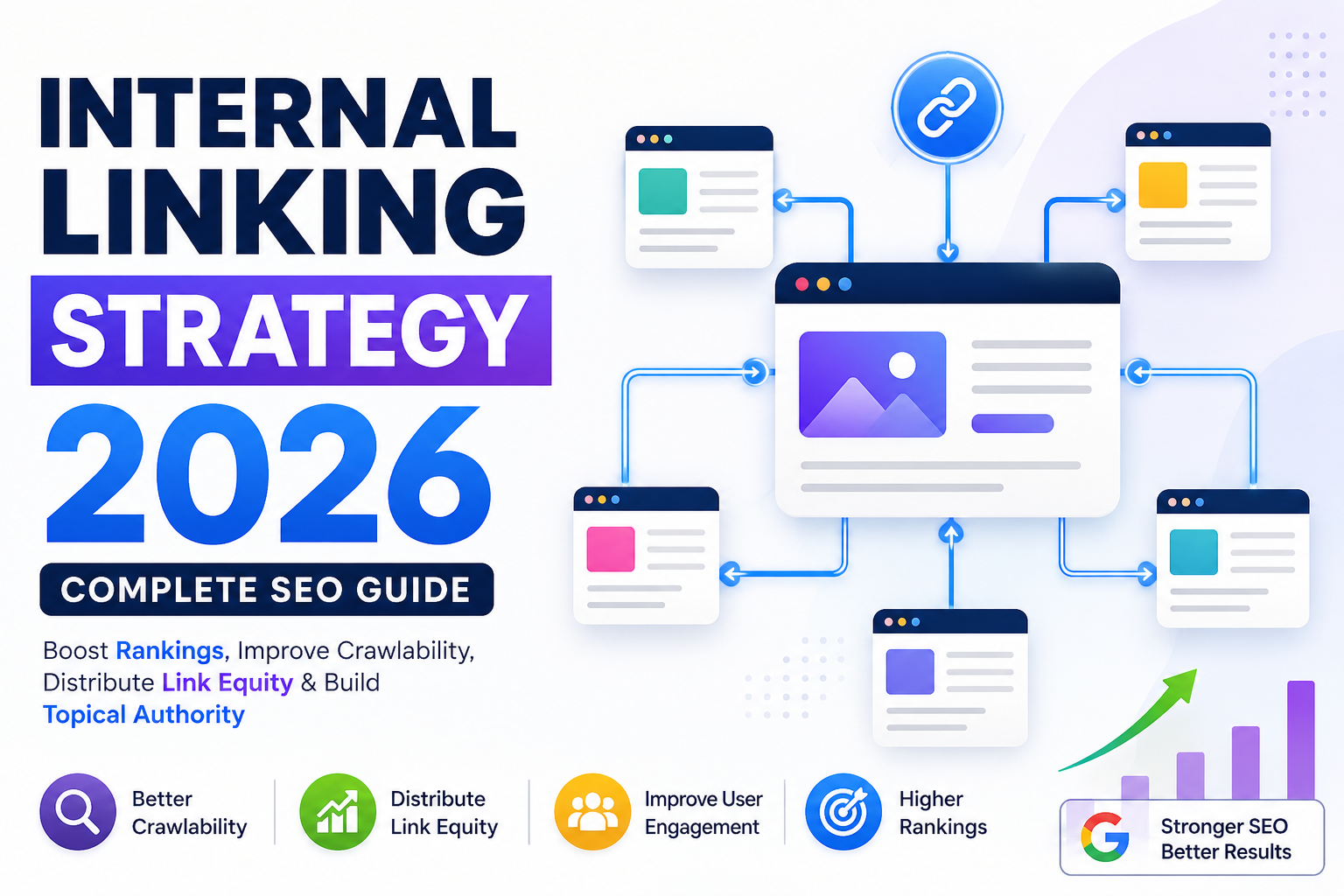
A properly implemented internal linking strategy helps Google discover and understand all your content, distributes link equity from your strongest pages to your newer ones, keeps readers on your website longer, strengthens your topical authority, and contributes directly to higher rankings across your entire site.
This guide covers everything you need to know to build a deliberate, effective internal linking structure in 2026 — from the foundational principles all the way to advanced implementation techniques.
Table of Contents
- What is Internal Linking?
- Why Internal Linking Matters in 2026
- How Internal Links Help SEO — The Mechanics
- Types of Internal Links
- How to Build an Effective Internal Linking Strategy
- Anchor Text Best Practices
- How Many Internal Links Per Article?
- Internal Linking for Content Clusters
- Orphan Pages — What They Are and Why They Hurt You
- Internal Linking Tools and Techniques
- Common Internal Linking Mistakes
- Internal Linking Audit — How to Review Your Existing Structure
- Key Takeaways
- FAQ
- Internal Linking Suggestions
- Conclusion
- Disclaimer
What is Internal Linking?
An internal link is a hyperlink that connects one page on your website to another page on the same website. When you add a link in an article that points to another article or page on your own domain, that is an internal link.
Internal links are different from external links, which point from your website to a different domain, and from backlinks, which point from other websites to yours.
Internal links serve multiple purposes simultaneously: they help users navigate between related content, they help search engine crawlers discover pages across your site, and they distribute ranking authority — commonly called link equity or PageRank — between your pages.
A simple example: if you publish an article about keyword research and then write another article about on-page SEO, linking from the on-page SEO article back to your keyword research article is an internal link. It tells both users and search engines that these two topics are related, and it passes some of the ranking authority from the newer article back to the older one.
Why Internal Linking Matters in 2026
Internal linking has always been an important SEO factor, but several developments in Google’s algorithm have made it even more consequential in 2026.
Google’s Emphasis on Content Discovery Google’s ability to crawl and index web content relies heavily on link structures. Pages that are not linked to from anywhere on your site — called orphan pages — may not be discovered or indexed at all, which means they cannot rank regardless of how good the content is.
Topical Authority and Content Clusters Google now evaluates websites at a topical level. A well-structured internal linking system signals to Google that your website covers its subject areas in depth and coherence — which is one of the primary mechanisms for building topical authority.
Link Equity Distribution Your website’s total link equity — the authority passed in from external backlinks — needs to flow through your site efficiently. Poor internal linking creates situations where some pages receive too much authority and others receive too little. A strategic internal linking structure distributes that equity where you want it most.
User Experience and Engagement Signals When readers navigate naturally from one article to another through relevant internal links, they spend more time on your site. This sends positive engagement signals to Google — lower bounce rates, higher session duration, more pages per visit — all of which contribute to overall site quality perception.
How Internal Links Help SEO — The Mechanics
To understand why internal linking matters, it helps to understand the mechanics of how it works.
Crawlability Google’s web crawlers — called Googlebot — discover pages by following links. If a page on your site has no links pointing to it from anywhere, there is a very real chance Google will not find it, or will not prioritize indexing it. Every internal link you add creates a new path for Googlebot to follow.
Link Equity Flow When a page receives backlinks from external websites, it accumulates ranking authority. This authority can flow to other pages through internal links. If your homepage has strong external backlinks and you add an internal link from your homepage to a new article, some of that authority flows to the new article — giving it a better starting position in search results.
Indexing Priority Pages that receive more internal links are typically crawled and indexed more frequently. If you have an article you want Google to prioritize — a cornerstone guide, a product page, a pillar page — linking to it from multiple other pages on your site signals its importance.
Contextual Understanding The text surrounding your internal links — and the anchor text of the link itself — helps Google understand what the linked page is about. This contextual information contributes to how Google categorizes and ranks the page.
Types of Internal Links
Not all internal links are the same. Understanding the different types helps you build a more intentional and effective linking structure.
Navigational Links These appear in your site’s navigation menu, header, footer, or sidebar. They link to your most important pages — homepage, category pages, about page, contact page. These links appear on every page of your site, so they pass authority broadly but are less specific to individual content.
Contextual Links These are links embedded within the body content of your articles — placed naturally within the text where they add genuine value for the reader. Contextual internal links are the most powerful type for SEO because they appear within relevant content, carry descriptive anchor text, and signal topical relevance to search engines.
Breadcrumb Links Breadcrumb navigation shows users their location within your site’s hierarchy and links back to parent category pages. Breadcrumbs are particularly useful for websites with deep category structures.
Related Posts Links These appear at the end of articles and suggest other relevant content for readers to explore. While less powerful than contextual links, they still contribute to crawlability and user engagement.
Footer Links Links placed in the site footer appear across all pages and typically point to important static pages. Use these sparingly and only for genuinely important destinations.
How to Build an Effective Internal Linking Strategy
Here is a practical, step-by-step process for building an internal linking strategy that genuinely improves your SEO.
Step 1: Understand Your Site Architecture
Before adding any links, understand how your site is currently structured. Most blogs use a relatively flat architecture:
Homepage → Category Pages → Individual Articles
Your internal linking strategy should reinforce this hierarchy — with your most important pages receiving the most internal links, and authority flowing downward to newer and less-established content.
Step 2: Identify Your Most Important Pages
Every website has certain pages that are strategically more important than others — these might be your pillar pages, your highest-traffic articles, your money pages, or your cornerstone content.
List your most important pages and make sure they receive a strong volume of internal links from across your site. These are the pages you want Google to prioritize.
Step 3: Create a Topic Map of Your Content
Map out how your existing articles relate to each other by topic. Which articles cover the same subject area? Which articles would a reader naturally want to read in sequence? Which articles complement each other?
This topic map becomes the foundation for your internal linking decisions — you link between articles that are genuinely related in topic and user intent.
Step 4: Add Contextual Links to Existing Articles
Go through your existing published articles and look for opportunities to add internal links to other relevant content. For each article, ask:
- What other articles on my site would genuinely help the reader of this article?
- What related topics does this article mention that I have covered in more depth elsewhere?
- Which of my important pages could I naturally reference within this content?
Add links where they genuinely serve the reader — not just to hit an arbitrary link count.
Step 5: Build Internal Links Into Every New Article You Publish
From this point forward, make internal linking a mandatory part of your article publishing process. Before every article goes live, review it and add at least three to five contextual links to other relevant content on your site.
Step 6: Link Back to New Articles from Existing Content
Every time you publish a new article, go back through your existing articles and find places where a link to the new piece would be relevant and valuable. This is called reverse internal linking — and it is one of the most effective ways to pass authority to new content quickly.
Anchor Text Best Practices
Anchor text — the clickable text of a link — is one of the most important elements of your internal linking strategy. It tells both users and search engines what the destination page is about.
Use Descriptive, Keyword-Rich Anchor Text Your anchor text should describe the content of the page you are linking to. Instead of “click here” or “read this article,” use descriptive phrases like “how to build backlinks” or “complete guide to keyword research.”
Vary Your Anchor Text Naturally Do not use the exact same anchor text every time you link to a particular page. Use natural variations — different phrasings that all describe the same content. This looks natural to search engines and provides richer contextual signals.
Avoid Over-Optimization Using the exact target keyword of the destination page as anchor text every single time can look unnatural and manipulative. Mix exact-match anchor text with broader descriptive phrases.
Keep Anchor Text Concise Anchor text works best when it is between two and six words — long enough to be descriptive, short enough to remain readable and natural within the sentence.
Never Use Generic Anchor Text for Important Links Avoid “here,” “this,” “click here,” and similar non-descriptive anchor text for links to important pages. These anchor texts provide no topical signal to search engines.
How Many Internal Links Per Article?
There is no universal rule, but here are practical guidelines:
A standard article of 1,500 to 2,500 words should include three to six contextual internal links. A longer pillar page of 3,000 to 5,000 words might include eight to fifteen internal links.
The guiding principle is not a number — it is genuine relevance. Every internal link should add value for the reader. If you are adding links just to reach a target count, you are doing it wrong.
What to avoid:
- Fewer than two internal links in any substantive article — this is a missed opportunity
- More internal links than genuinely make sense for the content — this feels forced and reduces readability
- Multiple links to the same destination within a single short article — once is typically sufficient
Internal Linking for Content Clusters
If you are building topical authority through content clusters — a pillar page supported by multiple cluster articles — your internal linking structure should reflect and reinforce that cluster architecture.
Pillar Page to Cluster Articles Your pillar page should link to every cluster article within its topic area. As you publish new cluster articles, add links to them from the pillar page. The pillar page functions as the hub of your cluster, and its internal links are the spokes.
Cluster Articles Back to Pillar Page Every cluster article should include at least one natural, contextual link back to the pillar page. This reinforces the topical relationship in Google’s understanding and passes authority back to your central hub.
Cluster Articles to Related Cluster Articles Where contextually appropriate, cluster articles should also link to each other — not just back to the pillar. This creates a richer network of topical connections that strengthens the cluster’s overall authority signal.
Do Not Cross-Link Unrelated Clusters Avoid adding internal links between articles in completely different topic clusters just to fill link quotas. Cross-cluster internal links should only exist where there is a genuine, natural connection between the topics.
Orphan Pages — What They Are and Why They Hurt You
An orphan page is a page on your website that has no internal links pointing to it from any other page on your site.
Orphan pages are a significant SEO problem for two reasons:
First, Google may not discover them at all — or may deprioritize them in crawling — because there are no links guiding Googlebot to them.
Second, orphan pages receive no link equity from the rest of your site, which means they are starting with no internal authority advantage, even if your other pages have received strong external backlinks.
Any page you want to rank — any article, any tool, any resource — must receive at least one internal link from another relevant page on your site. Ideally, important pages should receive multiple internal links.
Run a regular audit of your site to identify orphan pages and connect them to the rest of your content through relevant internal links.
Internal Linking Tools and Techniques
Screaming Frog SEO Spider This desktop tool crawls your entire website and maps all internal links. It identifies orphan pages, pages with too few internal links, broken internal links, and much more. A free version is available for sites up to 500 URLs. Visit screamingfrog.co.uk for details — features and pricing may have changed since this writing.
Google Search Console The Links report in Google Search Console shows which of your internal pages are receiving the most internal links. This is useful for identifying pages that may be over-linked and pages that need more internal link support.
Ahrefs Site Audit Ahrefs’ site audit feature includes internal linking analysis, highlighting orphan pages, pages with low internal link counts, and link equity distribution issues.
Manual Spreadsheet Tracking For smaller sites, a simple spreadsheet tracking each article, its target keyword, and the internal links pointing to it is a perfectly effective low-tech solution.
WordPress Plugins If your site runs on WordPress, plugins like Rank Math and Yoast SEO include internal linking suggestion features that recommend relevant articles to link to as you write new content.
Common Internal Linking Mistakes
Using non-descriptive anchor text “Click here,” “read more,” and “this article” tell Google nothing about the destination page. Always use descriptive anchor text.
Linking only to your homepage and main categories Many bloggers over-link to their top-level pages and under-link to their individual articles. Individual articles need internal links too — especially newer ones that have not yet accumulated external backlinks.
Never updating old articles with new internal links Every time you publish a new article, your old articles become potential sources of internal links to the new content. If you never update old articles, you miss a constant source of internal link equity for new pages.
Creating orphan pages Publishing content without adding any internal links pointing to it leaves pages stranded without authority or discoverability.
Adding too many internal links to a single page Dozens of internal links on a single page dilutes the value of each individual link. Be selective — prioritize the links that are most valuable to both the reader and your SEO goals.
Linking to irrelevant content Internal links should always be contextually relevant. Forced links to unrelated content confuse both users and search engines.
Internal Linking Audit — How to Review Your Existing Structure
Conduct a regular internal linking audit to identify gaps and opportunities. Here is a simple process:
Step 1: Crawl Your Site Use Screaming Frog or a similar tool to crawl your site and export a list of all internal links.
Step 2: Identify Orphan Pages Find any pages with zero or very few internal links pointing to them. Prioritize adding links to these pages from relevant existing content.
Step 3: Identify Over-Linked Pages Look for pages that already receive many internal links — often your homepage and category pages. Consider whether some of those links would be better placed pointing to less-established articles.
Step 4: Audit Anchor Text Review the anchor text used across your internal links. Are you using descriptive, varied, keyword-relevant anchor text? Or are there many generic “click here” instances that could be improved?
Step 5: Check for Broken Internal Links Broken internal links — links that point to pages that no longer exist — waste link equity and create poor user experiences. Fix or remove them promptly.
Step 6: Map Your Content Clusters Review whether your pillar pages are properly linking to all cluster articles, and whether all cluster articles are linking back to the pillar. Fill any gaps in your cluster linking structure.
Key Takeaways
- Internal linking is one of the highest-impact, lowest-cost SEO improvements available to any website owner
- Internal links help Google discover content, distribute link equity, and understand topical relationships between pages
- Contextual links within article body content are the most powerful type of internal link
- Every article should include three to six relevant internal links with descriptive anchor text
- Orphan pages — those with no internal links pointing to them — may not be indexed or ranked effectively
- Content clusters require a deliberate internal linking structure: pillar pages link to cluster articles, cluster articles link back to pillar pages
- Regular internal linking audits help you identify and fix gaps in your site’s linking structure
FAQ
Q: How many internal links should I have on one page? There is no strict limit, but a practical guideline for a standard article is three to eight contextual internal links. For longer pillar pages, ten to fifteen is reasonable. Prioritize relevance and reader value over any specific number.
Q: Should I open internal links in a new tab? Generally no. Opening internal links in a new tab is typically reserved for external links. Internal links should open in the same tab to maintain a smooth navigation experience within your site.
Q: Does the position of an internal link on the page matter? Yes. Links placed higher in the page — particularly within the first few paragraphs — are typically given more weight by search engines than links placed in footers or sidebars. Prioritize contextual links early in the article body for your most important destinations.
Q: Can too many internal links hurt my site? Excessive and irrelevant internal links can dilute link equity and reduce the value of each individual link. More importantly, forced and unnatural internal links create a poor reading experience. Focus on genuine relevance, not volume.
Q: Do nofollow internal links pass link equity? No. Nofollow links do not pass link equity. Internal links should generally be standard dofollow links — there is rarely a reason to add nofollow to an internal link within your own content.
Internal Linking Suggestions
| Suggested Article | Recommended Anchor Text | Why It Is Relevant |
|---|---|---|
| What is Domain Authority & How to Increase It in 2026 | how domain authority works | Internal linking directly supports DA growth through better link equity distribution |
| Topical Authority Kaise Build Karein — Content Cluster Strategy 2026 | building topical authority with content clusters | Internal linking is the structural backbone of every content cluster strategy |
| On-Page SEO Complete Checklist 2026 | complete on-page SEO checklist | Internal linking is a core component of on-page SEO best practices |
| Keyword Research Kaise Karein — Free Tools Guide | keyword research guide | Keyword understanding helps you choose better anchor text for internal links |
| Free Backlinks Kaise Banayein 2026 | how to build free backlinks | Internal links and external backlinks work together to build complete SEO authority |
External Source Suggestions
- Google Search Central — Links and Link Equity: developers.google.com/search/docs/crawling-indexing/links-crawlable
- Moz — Internal Links for SEO: moz.com/learn/seo/internal-link
- Ahrefs — Internal Linking Guide: ahrefs.com/blog/internal-links-for-seo
- Screaming Frog SEO Spider: screamingfrog.co.uk/seo-spider
Conclusion
Internal linking is not a minor technical detail. It is a foundational SEO strategy that affects how Google discovers your content, how it distributes authority across your site, how it understands the topical relationships between your pages, and how users navigate and engage with your content.
The good news is that unlike link building — which requires external relationships and extended time — internal linking is entirely within your control. You can start improving it today across your existing content.
Build the habit of adding deliberate, contextual internal links to every article before it is published. Go back through existing content regularly and add links to newer articles. Structure your content clusters with deliberate pillar-to-cluster and cluster-to-pillar linking. Fix orphan pages. Audit your anchor text.
These are not complex actions. But done consistently over time, they compound into a significantly stronger, more well-organized website that Google understands, trusts, and ranks.
Explore our related guides on topical authority, domain authority, and on-page SEO — all available on Finzaro360.
Disclaimer
This article is published for educational and informational purposes only. SEO strategies and their effectiveness vary depending on website niche, competition, content quality, and algorithm updates. No specific rankings or traffic outcomes are guaranteed. Tool features and pricing mentioned in this article may change — always verify from official sources.