

Introduction
Schema Markup WordPress 2026:
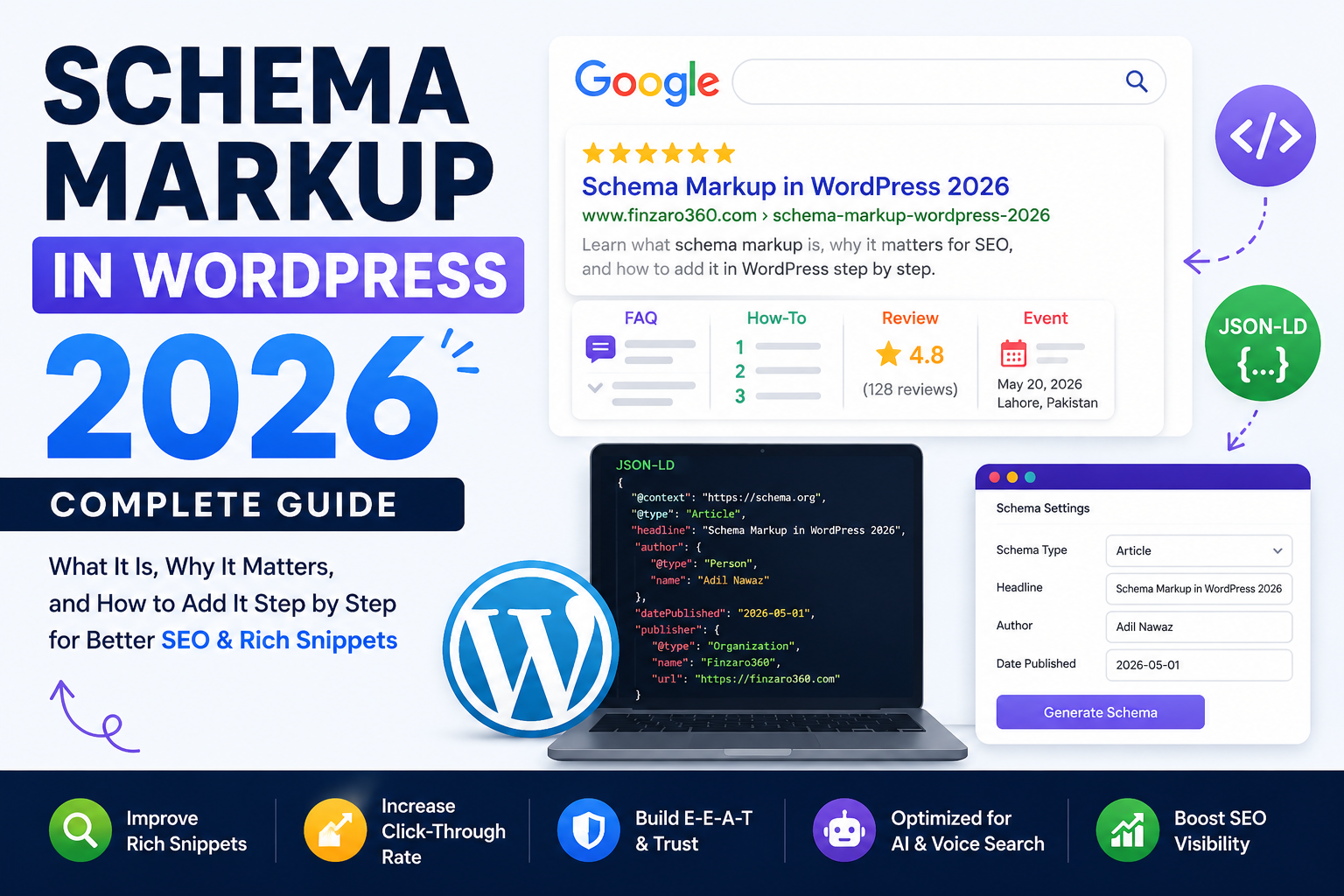
You have probably noticed certain search results that look different from the rest — results with star ratings, FAQ dropdowns, author information, recipe details, or event dates appearing directly in Google’s search results page.
These enhanced results are called rich snippets, and the technology that makes them possible is called schema markup.
Schema markup is one of the most underutilized tools in SEO, particularly among beginner and intermediate bloggers. Most websites are not using it — which means that if you implement it correctly, you have a genuine competitive advantage in how your content appears in search results.
In 2026, schema markup has become even more important as Google continues to evolve its search results page with AI-driven features, rich results, and Knowledge Panel integrations. Websites with properly implemented schema stand a stronger chance of appearing in these enhanced formats.
This guide covers everything you need to know: what schema markup is, why it matters, what types are most useful for bloggers, and exactly how to add it to your WordPress website — with and without coding.
Table of Contents
- What is Schema Markup?
- Why Schema Markup Matters for SEO in 2026
- How Schema Markup Works
- Types of Schema Markup for Bloggers and Websites
- Does Schema Markup Directly Improve Rankings?
- How to Add Schema Markup to WordPress — Method 1: Using a Plugin
- How to Add Schema Markup to WordPress — Method 2: Manual JSON-LD
- How to Test Your Schema Markup
- Common Schema Markup Mistakes
- Schema Markup for Different Content Types
- Key Takeaways
- FAQ
- Internal Linking Suggestions
- Conclusion
- Disclaimer
What is Schema Markup?
Schema markup is a form of structured data — a specific way of adding code to your web pages that helps search engines understand the content on those pages more precisely.
Think of it this way: when you publish a recipe article, your content might include ingredients, cooking time, preparation steps, and calorie information. To a human reader, these are obvious. But to a search engine reading raw HTML, all of that information is just text — it is not clear what is an ingredient versus what is a step versus what is a cooking time.
Schema markup gives search engines a structured, standardized way to identify and categorize specific pieces of information on your page. You are essentially labeling your content so that search engines understand exactly what each piece means.
Schema markup is maintained and standardized by Schema.org — a collaborative project supported by Google, Microsoft, Yahoo, and Yandex. It provides a shared vocabulary of tags and properties that all major search engines understand.
When Google understands your content through schema markup, it can present that information in enhanced ways directly in search results — these are called rich results or rich snippets.
Why Schema Markup Matters for SEO in 2026
Schema markup has become increasingly important for several reasons specific to how Google’s search results have evolved.
Rich Results and Enhanced Visibility Schema markup is the primary mechanism that enables rich results — visually enhanced search listings that include star ratings, FAQ dropdowns, how-to steps, event information, and more. Rich results tend to receive significantly higher click-through rates than standard blue link results.
AI Overviews and Featured Snippets Google’s AI-powered search features — including AI Overviews — frequently pull structured information from pages with proper schema markup. Well-structured data makes it easier for these systems to extract and present your content accurately.
Knowledge Graph Integration Schema markup helps Google associate your website, content, and brand with its Knowledge Graph — the database of entities and relationships that powers many of Google’s intelligent search features.
Competitive Differentiation Most websites — particularly smaller blogs and niche sites — are not using schema markup effectively. This means that implementing it correctly gives you a visible advantage in search results even before your domain authority is highly competitive.
Voice Search Optimization Voice search assistants frequently rely on structured data to pull concise, accurate answers. Schema markup makes your content more accessible to voice search responses.
How Schema Markup Works
Schema markup is typically added to your website’s HTML in a format called JSON-LD (JavaScript Object Notation for Linked Data). This is Google’s recommended format.
Here is a simple example of what JSON-LD schema markup looks like for an article:
{
  "@context": "https://schema.org",
  "@type": "Article",
  "headline": "Schema Markup: What It Is and How to Add It in WordPress",
  "author": {
    "@type": "Person",
    "name": "Adil Nawaz"
  },
  "datePublished": "2026-05-01",
  "publisher": {
    "@type": "Organization",
    "name": "Finzaro360",
    "url": "https://finzaro360.com"
  }
}
This code is placed in the head section of your page’s HTML and tells Google exactly what type of content is on the page, who wrote it, when it was published, and who publishes the website.
You do not need to understand how to write this code manually — plugins handle it automatically. But understanding the concept helps you implement it more effectively.
Types of Schema Markup for Bloggers and Websites
There are hundreds of schema types in the Schema.org vocabulary. For bloggers and content websites, the most important and useful types are the following.
Article Schema Marks up blog posts and news articles with information including headline, author, publish date, and featured image. This is the most fundamental schema type for any content website.
FAQ Schema Marks up frequently asked question sections so that Google can display individual questions and answers directly in search results as expandable dropdowns. This is one of the most visible and click-through-boosting schema types available to bloggers.
How-To Schema Marks up step-by-step guides so Google can display the steps directly in search results. Ideal for tutorial and instructional content.
Review Schema Marks up product or service reviews with star ratings, reviewer name, and rating value. Enables rich results showing star ratings in search listings.
Organization Schema Marks up your website’s brand information — name, logo, contact information, social profiles. Helps Google associate your domain with your brand identity.
Person Schema Marks up author information — name, biography, social profiles. Important for E-E-A-T signals, particularly on YMYL (Your Money, Your Life) content covering finance, health, or similar topics.
BreadcrumbList Schema Marks up your site’s navigation breadcrumbs. Enables Google to display breadcrumb navigation in search results instead of just the URL.
WebSite Schema Marks up your website’s basic information and can enable a sitelinks search box in Google search results for branded searches.
Does Schema Markup Directly Improve Rankings?
This is an important question and deserves an honest answer.
Schema markup is not a direct Google ranking factor in the traditional sense. Adding schema to your pages will not automatically push them higher in search results.
What schema markup does is improve how your content appears in search results when it already ranks. It enables rich results — enhanced visual formats that tend to generate higher click-through rates. More clicks from the same ranking position means more traffic — and over time, improved engagement signals may contribute to better rankings.
Additionally, schema markup that demonstrates E-E-A-T signals — author information, organization details, publication dates — supports the overall trust and authority profile of your content, which is increasingly important in Google’s evaluation of quality.
Think of schema markup as a presentation layer for your content in search results. It does not necessarily get you to page one, but it makes your page one listing significantly more visible and compelling when you are there.
How to Add Schema Markup to WordPress — Method 1: Using a Plugin
The simplest and most recommended approach for most WordPress users is to use an SEO plugin that handles schema markup automatically.
Option A: Rank Math SEO
Rank Math is one of the most comprehensive free SEO plugins available for WordPress and includes robust schema markup features.
How to set up schema with Rank Math:
- Install and activate Rank Math from the WordPress plugin directory
- Complete the setup wizard — Rank Math will automatically configure basic schema types for your site
- For individual posts, open the Rank Math panel in the WordPress editor
- Navigate to the Schema tab
- Select the appropriate schema type for your content (Article, FAQ, How-To, Review, etc.)
- Fill in the required fields — Rank Math will generate the JSON-LD code automatically
Rank Math also includes a FAQ block that automatically generates FAQ schema when you add a FAQ section to your content.
Option B: Yoast SEO
Yoast SEO is the most widely installed WordPress SEO plugin and includes automatic schema markup generation.
How schema works in Yoast:
- Install and activate Yoast SEO
- Go to Yoast SEO → Search Appearance → Content Types
- Set the schema type for each content type (posts, pages, etc.)
- For individual posts, the Yoast sidebar panel allows you to set specific schema properties
Yoast automatically generates Article schema for blog posts and can be configured to include author information, publication dates, and more.
Option C: Schema Pro (Premium Plugin)
Schema Pro is a dedicated schema markup plugin that offers more granular control and a wider range of schema types than general SEO plugins. It is a paid plugin. Verify current pricing at its official website as these details may change.
General recommendation: For most bloggers and content websites, Rank Math’s free version provides everything needed for comprehensive schema implementation. There is no need for a dedicated premium plugin unless you have very specific requirements.
How to Add Schema Markup to WordPress — Method 2: Manual JSON-LD
If you prefer full control over your schema markup — or if you want to add schema types that your plugin does not support — you can add JSON-LD code manually.
Step 1: Write Your JSON-LD Code
Use the Schema.org vocabulary reference at schema.org to identify the correct properties for your schema type. Here is an example of FAQ schema:
<script type="application/ld+json">
{
  "@context": "https://schema.org",
  "@type": "FAQPage",
  "mainEntity": [
    {
      "@type": "Question",
      "name": "What is schema markup?",
      "acceptedAnswer": {
        "@type": "Answer",
        "text": "Schema markup is structured data code that helps search engines understand the content on your web pages more precisely."
      }
    },
    {
      "@type": "Question",
      "name": "Does schema markup improve Google rankings?",
      "acceptedAnswer": {
        "@type": "Answer",
        "text": "Schema markup is not a direct ranking factor, but it enables rich results that improve click-through rates and visibility in search results."
      }
    }
  ]
}
</script>
Step 2: Add the Code to Your WordPress Page
There are several ways to add JSON-LD code to individual WordPress pages:
- Use a plugin like Insert Headers and Footers to add code globally or per-page
- Use the Custom HTML block in the WordPress block editor to paste the code directly into your content
- Add it to your theme’s header.php file for site-wide schema (requires basic theme editing)
Step 3: Test the Markup
Always test your schema after adding it to ensure it is correctly formatted and recognized by Google. We will cover testing methods shortly.
Important note: Manual schema implementation requires careful attention to syntax. A single formatting error — a missing comma, an unclosed bracket — can invalidate the entire schema block. Always test after adding any manual schema code.
How to Test Your Schema Markup
After adding schema markup to your WordPress site, always verify that it is implemented correctly.
Google Rich Results Test Visit search.google.com/test/rich-results and enter your page URL or paste your schema code directly. Google’s Rich Results Test will show you which rich result types your page is eligible for and flag any errors or warnings.
Schema.org Validator Visit validator.schema.org to test your JSON-LD code against the Schema.org vocabulary. This validator checks that your markup uses correct properties and values according to the Schema.org specification.
Google Search Console — Rich Results Report Once your pages are indexed, Google Search Console’s Enhancements section shows which pages have valid rich results and which have errors or warnings. This is the most comprehensive view of your schema implementation across your entire site.
Regular testing — especially after making changes to your site or updating plugins — helps you catch and fix schema issues before they affect your search appearance.
Common Schema Markup Mistakes
Using the wrong schema type Applying Article schema to a product page, or Review schema to a how-to guide, sends confusing signals to search engines. Match your schema type carefully to your content type.
Incomplete required properties Every schema type has required properties that must be included for the markup to be valid. Missing required fields will cause Google to ignore or flag your schema. Always check the required fields for each schema type you use.
Marking up content that is not visible on the page Google requires that your schema markup describes content that is actually visible to users on the page. You cannot add schema for information that is hidden or absent from the page content — this violates Google’s structured data guidelines.
Outdated or inaccurate information Schema markup with outdated prices, discontinued products, or inaccurate information can mislead users who see your rich results. Keep schema information current and accurate.
Not testing after plugin updates Plugin updates can sometimes change how schema is generated. After any major plugin update, run your key pages through Google’s Rich Results Test to confirm everything is still working correctly.
Adding schema to every page indiscriminately Not every page needs schema beyond the basics. Focus on pages where specific schema types add genuine search result value — FAQ pages, review articles, how-to guides, product pages.
Schema Markup for Different Content Types
Here is a practical reference for which schema types to use for common blog content:
| Content Type | Recommended Schema | Rich Result Benefit |
|---|---|---|
| Blog post / article | Article | Author, date, image in results |
| FAQ section in any article | FAQPage | Expandable Q&A dropdowns in results |
| Step-by-step tutorial | HowTo | Steps displayed directly in results |
| Product review | Review + Product | Star ratings in results |
| About page | Person + Organization | Author and brand entity signals |
| Homepage | WebSite + Organization | Sitelinks search box, brand signals |
| Event announcement | Event | Date, location, ticket info in results |
| Recipe article | Recipe | Ingredients, time, ratings in results |
For a typical blog post, implementing Article schema plus FAQPage schema (if you include an FAQ section) provides the most practical benefit with the least complexity.
Key Takeaways
- Schema markup is structured data code that helps search engines understand your content more precisely
- It enables rich results — enhanced visual search listings with star ratings, FAQ dropdowns, how-to steps, and more
- Schema markup is not a direct ranking factor, but rich results improve click-through rates significantly
- For WordPress users, SEO plugins like Rank Math and Yoast handle most schema needs automatically and for free
- The most valuable schema types for bloggers are Article, FAQPage, HowTo, Review, and Organization
- Always test your schema using Google’s Rich Results Test after implementation
- Only mark up content that is actually visible on the page — never fabricate or hide schema content
FAQ
Q: Do I need to know how to code to add schema markup in WordPress? No. If you use a plugin like Rank Math or Yoast SEO, schema markup is handled automatically with no coding required. Manual JSON-LD implementation is an option for advanced users who want additional control.
Q: Will adding schema markup guarantee rich results in Google? No. Meeting the technical requirements for schema markup makes your page eligible for rich results, but Google decides whether to display them based on its own quality assessment. Valid schema is a requirement, not a guarantee.
Q: Can schema markup hurt my rankings? Incorrect or misleading schema markup — particularly markup that misrepresents your content or violates Google’s structured data guidelines — can result in manual penalties. Always implement schema accurately and honestly.
Q: How often should I update my schema markup? Review your schema implementation whenever you significantly update your content, change your site structure, or update your SEO plugins. Also check Google Search Console’s Enhancements report periodically for any new errors or warnings.
Q: Is there a limit to how many schema types I can use on one page? No technical limit exists, but avoid adding schema types that do not accurately describe the content on the page. Multiple relevant schema types on one page are fine — for example, Article schema combined with FAQPage schema on a blog post with an FAQ section is a common and valid combination.
Internal Linking Suggestions
| Suggested Article | Recommended Anchor Text | Why It Is Relevant |
|---|---|---|
| On-Page SEO Complete Checklist 2026 | on-page SEO checklist 2026 | Schema markup is an important on-page SEO element covered in a full checklist |
| What is Domain Authority & How to Increase It in 2026 | how to increase domain authority | Schema supports E-E-A-T signals which contribute to overall site authority |
| Internal Linking Strategy 2026 | internal linking strategy for WordPress | Internal linking and schema work together for complete on-page optimization |
| Topical Authority Kaise Build Karein — Content Cluster Strategy 2026 | building topical authority | Schema markup reinforces topical depth signals across a content cluster |
| WordPress Website Kaise Banaye 2026 | how to set up WordPress | New WordPress users benefit from understanding schema as part of initial site setup |
External Source Suggestions
- Google Developers — Structured Data Documentation: developers.google.com/search/docs/appearance/structured-data/intro-structured-data
- Schema.org — Full Vocabulary Reference: schema.org
- Google Rich Results Test: search.google.com/test/rich-results
- Google Search Central — Rich Results Policies: developers.google.com/search/docs/appearance/structured-data/sd-policies
Conclusion
Schema markup is one of the most practical and highest-impact technical SEO improvements you can make to your WordPress website — and thanks to modern plugins, it requires no coding knowledge to implement.
Adding the right schema types to your content helps Google understand exactly what your pages are about, makes your listings stand out visually in search results through rich snippets, and strengthens the E-E-A-T signals that Google uses to evaluate content quality and trustworthiness.
For a blog covering finance, SEO, AI tools, or cryptocurrency — all topics where Google applies heightened scrutiny — proper schema implementation including Author, Organization, and Article schema sends important trust signals that support your content’s credibility.
Start with the basics: install Rank Math or Yoast SEO, ensure Article schema is correctly configured for all your blog posts, add FAQ schema to your FAQ sections, and set up your Organization and Author schema on your About page. Then test everything in Google’s Rich Results Test.
These are straightforward actions that most of your competitors have not taken — and that makes them worth taking today.
Explore our related guides on on-page SEO, internal linking, and topical authority — all available on Finzaro360.
Disclaimer
This article is published for educational and informational purposes only. Schema markup features, plugin capabilities, and Google’s structured data guidelines may change over time. Always refer to Google’s official Search Central documentation and plugin documentation for the most current implementation guidance. No specific search result enhancements or traffic outcomes are guaranteed.