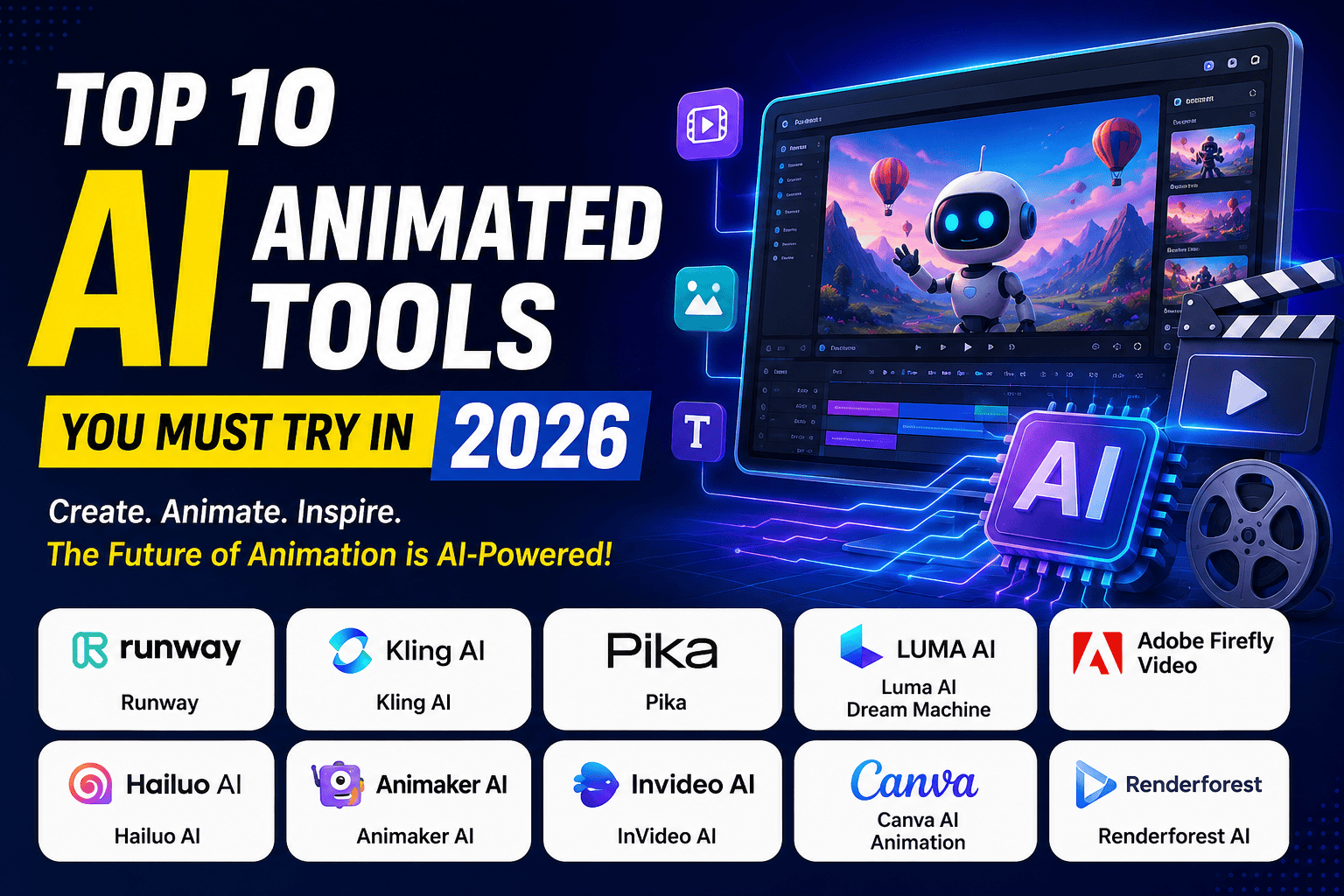

Top AI Animated Tools 2026
Video is no longer something only big studios can make. Thanks to AI animation tools, anyone with a laptop and an idea can now create polished, professional-looking videos in minutes. This shift is changing how creators, marketers, and businesses tell stories online.
What Are AI Animation Tools?
AI animation tools are software platforms that use artificial intelligence to turn text, images, or simple prompts into moving video content. Instead of manually drawing every frame or learning complex animation software, you type a description or upload a photo, and the AI does the heavy lifting.
Some tools generate fully realistic, cinematic-style video clips. Others focus on cartoon-style characters, explainer videos, or template-based social content. Either way, the goal is the same: faster video production with less technical skill required.
Why AI Animation Tools Are Booming in 2026
A few things have pushed these tools into the mainstream this year. First, the video quality has improved dramatically. Motion now looks smoother, faces look more natural, and physics (how objects move and interact) is far more believable than it was even a year ago.
Second, prices have become more accessible. Many platforms now offer usable free plans, and paid tiers often start under $10 a month. That makes experimentation low-risk for solo creators. If you want a broader look at what else is out there, check out Finzaro360’s guide to the best AI tools for productivity.
Third, demand for video content keeps rising. Platforms like YouTube, TikTok, and Instagram reward creators who post consistently, and AI animation tools help people keep up without burning out or hiring a full production team.
Finally, businesses have realized that AI-generated video can cut marketing costs significantly. A product demo or explainer video that once took a week and a few thousand dollars can now be drafted in an afternoon. If you want to explore more software built for this kind of productivity boost, Finzaro360’s AI Tools section covers a wide range of options beyond video.
Who Should Use These Tools?
AI animation tools are useful for a wide range of people, including:
- YouTubers and content creators who need fresh video content regularly
- Marketers building ads, promos, or social campaigns
- Freelancers offering video services to clients on a budget — see also free online tools for freelancers
- Educators creating explainer videos or classroom material
- Businesses that want in-house video production without hiring animators
- Beginners who have never edited a video before but want to try
If you fall into any of these groups, there is likely a tool on this list built for you. Students exploring AI tools on a budget may also enjoy Top 10 Free AI Tools for Students in 2026. Freelancers and solo business owners in particular can often stack these platforms with other free or low-cost software. Finzaro360’s Free Online Tools for Freelancers guide is a good place to see what else pairs well with an animation tool.
What You Will Learn in This Guide
This article covers the top 10 AI animation tools worth trying in 2026, complete with honest pros, cons, pricing, and best-fit use cases. You will also find recommendations for the best free tool, the best options for YouTube, beginners, and businesses, plus a practical guide on how to choose the right platform and answers to common questions.
Let’s get into it.
Quick Comparison Table
| Tool | Best For | Free Plan | Starting Price | Ease of Use | AI Features | Overall Rating |
|---|---|---|---|---|---|---|
| Runway | Cinematic AI video & filmmaking | Yes (limited credits) | ~$12–15/month | Moderate | Text-to-video, image-to-video, video editing, motion control | 4.6/5 |
| Kling AI | Realistic motion & physics | Yes (daily credits) | ~$7/month | Moderate | Text-to-video, multi-shot storytelling, native audio | 4.5/5 |
| Pika | Fun creative effects | Yes (limited credits) | ~$8/month | Easy | Pikaffects, object swaps, lip-sync | 4.3/5 |
| Luma AI Dream Machine | Fast, photorealistic clips | Limited/varies | ~$30/month | Moderate | Ray video model, image-to-video, HDR output | 4.4/5 |
| Adobe Firefly Video | Commercial-safe content | Yes (limited credits) | ~$9.99/month | Moderate | Text-to-video, generative fill, audio translation | 4.4/5 |
| Hailuo AI | Fast generation & anime style | Yes (limited credits) | ~$8–10/month | Easy | Text-to-video, image-to-video, fast rendering | 4.0/5 |
| Animaker AI | Character-based explainer videos | Yes (watermarked) | ~$10–12.50/month | Easy | AI character builder, voiceovers, templates | 4.5/5 |
| InVideo AI | Marketing & social videos | Yes (limited exports) | ~$20–25/month | Very Easy | Prompt-to-video, templates, auto voiceover | 4.4/5 |
| Canva AI Animation | Quick social content | Yes (generous) | ~$10/month (Pro) | Very Easy | Animate templates, Magic tools, brand kits | 4.6/5 |
| Renderforest AI | Logo & brand animation | Yes (watermarked) | ~$10/month | Easy | Templates, AI voiceover, video/logo/website suite | 4.2/5 |
Note: Pricing and credit systems change often. Always check the official website for current numbers before subscribing.
Top 10 AI Animated Tools You Must Try in 2026
1. Runway
Overview Runway is one of the most established names in AI video generation. It behaves less like a simple prompt box and more like a full production studio, combining generation with editing tools in one browser-based workspace. It is a favorite among filmmakers, ad agencies, and design studios who need cinematic quality.
Key Features
- Text-to-video and image-to-video generation
- Video-to-video editing and style transfer
- Motion brush and camera controls for precise direction
- Access to multiple third-party AI video models inside one dashboard
- Built-in project timeline for arranging and trimming clips
Pros
- Consistently strong, film-like visual quality
- One subscription unlocks several leading AI video models
- Full editing suite, not just generation
Cons
- Steeper learning curve than simpler tools
- Credit system can be confusing for new users
- Free plan credits are a one-time allowance, not renewed monthly
Pricing Plans generally start around $12–15 a month on annual billing, with higher tiers reaching into the $70–95 range for heavier use.
Free Plan Availability Yes, but it offers a limited, one-time credit allowance rather than ongoing free credits.
Best For Filmmakers, agencies, and creators who need cinematic-quality output and don’t mind a slightly technical interface.
Supported Platforms Web browser (Windows, Mac, Chromebook compatible).
Why It Stands Out in 2026 Runway continues to top independent AI video benchmarks for realism and motion coherence, and its all-in-one editing environment saves creators from juggling separate apps.
2. Kling AI
Overview Kling AI, built by Kuaishou, has become known for realistic motion and strong physics simulation. It generates short, high-quality clips from text or images and has expanded into multi-shot storytelling, meaning it can connect several scenes with more consistency than earlier AI video tools.
Key Features
- Text-to-video and image-to-video generation
- Native audio generation synced to motion
- Multi-shot storytelling across connected scenes
- 4K editing support on higher tiers
- Character and camera motion controls
Pros
- Strong at realistic human movement and physics
- Generous daily free credits for testing
- Competitive pricing compared to similar-quality tools
Cons
- Credit consumption can be hard to predict
- Character consistency can slip in complex scenes
- Premium features (like native audio) use credits faster
Pricing Paid plans start around $7 a month, scaling up toward $60–130 a month for high-volume or priority-processing tiers.
Free Plan Availability Yes, with a daily credit refill that is enough for a few short clips.
Best For Creators who want realistic motion and are comfortable managing a credit-based system.
Supported Platforms Web app and mobile apps.
Why It Stands Out in 2026 Kling’s multi-shot feature and native audio generation put it ahead of many competitors for creators who want a more complete, story-driven output without stitching clips together manually.
3. Pika
Overview Pika has carved out a niche with playful, effects-driven video generation. Instead of aiming purely for realism, it leans into creative transformations, making it popular for short-form social content where attention-grabbing visuals matter more than cinematic polish.
Key Features
- Pikaffects for physics-defying visual effects (melt, explode, inflate)
- Object and character swaps inside existing footage
- Keyframe interpolation between a start and end image
- Audio-driven lip-sync tool
- Text-to-video and image-to-video support
Pros
- Budget-friendly compared to premium video generators
- Fun, distinctive effects that stand out on social feeds
- Simple, approachable interface
Cons
- Less suited for long-form or narrative-heavy content
- Free tier outputs are lower resolution
- Credits typically don’t roll over on lower plans
Pricing Starts around $8 a month, with higher tiers up to roughly $76–95 a month for more credits and features.
Free Plan Availability Yes, with limited daily or monthly generations at lower resolution.
Best For Social media creators making short, eye-catching clips for TikTok, Reels, or Shorts. If TikTok is your main platform, pair Pika with tips from how to make money on TikTok in 2026 to turn views into income.
Supported Platforms Web browser, with growing mobile support.
Why It Stands Out in 2026 Its signature effects remain hard to replicate elsewhere, giving Pika a clear identity in a crowded market of “realistic” AI video tools.
4. Luma AI Dream Machine
Overview Luma AI’s Dream Machine is known for speed and photorealistic output. Built on Luma’s Ray video model, it generates clips quickly while maintaining strong lighting and scene coherence, making it a favorite for creators who want quality without long wait times.
Key Features
- Fast video generation, often under a minute per clip
- Photorealistic lighting and camera movement
- HDR output options on higher plans
- Access to partner AI models inside one workspace
- Storyboard mode for planning multi-scene sequences
Pros
- One of the fastest tools for generation speed
- Strong visual realism, especially with lighting
- Access to multiple models under a single subscription
Cons
- No permanent low-cost tier; plans start higher than some competitors
- Generation limits can be reached quickly on entry plans
- Iteration (regenerating for a better result) adds to real costs
Pricing Entry plans generally start around $30 a month, with higher tiers reaching $90 and beyond for heavier workloads.
Free Plan Availability Availability and generosity of the free tier vary by product surface, so check current terms before relying on it.
Best For Creators and small teams who prioritize speed and photorealism over budget.
Supported Platforms Web browser, with API access for developers.
Why It Stands Out in 2026 Dream Machine’s rendering speed remains a genuine competitive edge, letting creators iterate on ideas quickly instead of waiting in long generation queues.
5. Adobe Firefly Video
Overview Adobe Firefly brings AI video generation into the Adobe ecosystem, appealing to creators already using Photoshop, Premiere, or Express. Its biggest selling point is that it is built on commercially licensed training data, which reduces copyright risk for business use.
Key Features
- Text-to-video and image-to-video generation
- Generative Fill for images extended into video workflows
- Audio translation and sound effect generation
- Integration with Photoshop, Premiere, and Adobe Express
- Access to select third-party AI models inside Firefly
Pros
- Commercially safe licensing, useful for business and client work
- Deep integration with existing Adobe tools
- Regularly updated with new generative features
Cons
- Credit system can feel restrictive for heavy video use
- Full value depends on already using other Adobe products
- Higher-volume plans get expensive quickly
Pricing Plans typically start near $9.99 a month, moving up to $19.99 and beyond, with premium high-volume tiers priced much higher.
Free Plan Availability Yes, offering a small monthly credit allowance to test features.
Best For Designers, agencies, and businesses that need legally safe AI content and already work inside Adobe software.
Supported Platforms Web app, plus integration across Adobe Creative Cloud apps.
Why It Stands Out in 2026 Firefly’s commercial-safety guarantee is a genuine differentiator for brands worried about copyright issues in AI-generated marketing material.
6. Hailuo AI
Overview Hailuo AI, developed by MiniMax, is known for extremely fast generation speeds and strong performance on physics-heavy scenes. It has grown quickly into one of the more widely used AI video platforms globally, especially for quick iteration.
Key Features
- Fast text-to-video and image-to-video generation
- Strong physics simulation for realistic motion
- Support for both realistic and anime-style output
- Credit-based plans scaling from casual to heavy use
- API access for developers
Pros
- Very fast generation times, often under a minute
- Works well for both realistic and stylized content
- Reasonably priced entry plans
Cons
- Higher resolutions consume credits quickly
- User review scores on independent platforms have been mixed
- Data is processed under the company’s own regional policies, which some users may want to review before uploading sensitive content
Pricing Entry plans generally start around $8–10 a month, with top-tier plans reaching close to $200 a month for unlimited or near-unlimited use.
Free Plan Availability Yes, with a limited credit allowance to start.
Best For Creators who value speed and want to experiment with both realistic and anime-style animation.
Supported Platforms Web app and mobile.
Why It Stands Out in 2026 Few tools match Hailuo’s combination of generation speed and stylistic range, making it useful for creators who need to test many ideas quickly.
7. Animaker AI
Overview Animaker takes a different approach from the cinematic video generators above. It focuses on drag-and-drop, character-based animation, making it a strong choice for explainer videos, HR training, and educational content rather than photorealistic clips.
Key Features
- AI character builder with customizable facial features and outfits
- Library of over 1,000 templates
- AI voiceover and audio syncing tools
- Scene-based timeline editor
- 4K export on higher plans
Pros
- Very approachable for people with no animation background
- Large asset and template library
- Great for character-driven storytelling
Cons
- Timeline editor can slow down with complex, multi-scene projects
- Free plan watermark is fairly prominent
- Not built for photorealistic or cinematic video
Pricing Paid plans typically start around $10–12.50 a month on annual billing.
Free Plan Availability Yes, though exports include a watermark.
Best For Businesses, educators, and marketers who want cartoon-style explainer or training videos.
Supported Platforms Web browser.
Why It Stands Out in 2026 Its character builder remains one of the deepest in the category, letting users create a consistent branded mascot without hiring an illustrator.
8. InVideo AI
Overview InVideo AI is a template-heavy platform built for speed. Its AI assistant can turn a simple text prompt into a rough video draft, which is especially useful for marketers and social media managers who need to publish frequently.
Key Features
- Prompt-to-video AI assistant
- Thousands of templates organized by use case (ads, intros, testimonials)
- Auto-generated voiceovers and captions
- Stock footage and music library
- Team collaboration tools on higher plans
Pros
- Extremely fast for producing marketing-style videos
- Templates cover a wide range of industries and formats
- Simple enough for non-editors to use immediately
Cons
- Output can feel generic without customization
- Free plan has limited exports
- Less suited for cinematic or highly artistic projects
Pricing Plans generally start around $20–25 a month.
Free Plan Availability Yes, with limited monthly exports and watermarking.
Best For Marketers and social media teams who need to produce a high volume of on-brand video content quickly.
Supported Platforms Web browser.
Why It Stands Out in 2026 Its prompt-to-video assistant continues to shorten the gap between “idea” and “finished draft,” which is valuable for teams under constant content deadlines. If you also draft scripts before generating video, Finzaro360’s SEO & Blogging section has useful tips on writing content that pairs well with fast video production.
9. Canva AI Animation
Overview Canva has expanded well beyond static graphic design into AI-powered animation. While it is not a dedicated animation studio, its Animate feature and Magic tools let users quickly turn designs and templates into moving social content.
Key Features
- One-click Animate feature for designs and presentations
- Magic Design and Magic Resize tools
- Massive template and stock asset library
- Brand kit tools for consistent visuals across projects
- Easy team collaboration and sharing
Pros
- Extremely beginner-friendly interface
- Generous free plan compared to many competitors
- Great for quick, polished social media content
Cons
- Limited for complex or character-driven animation
- Not built for photorealistic AI video generation
- Advanced animation control is more limited than dedicated tools
Pricing Canva Pro typically starts around $10–13 a month (or roughly $120 a year).
Free Plan Availability Yes, and it is one of the more generous free plans in this list.
Best For Beginners, small businesses, and social media managers who want fast, simple animated graphics.
Supported Platforms Web, desktop apps, and mobile apps.
Why It Stands Out in 2026 Canva’s ecosystem approach means users can design, animate, and export content without ever leaving the platform or learning new software.
10. Renderforest AI
Overview Renderforest is a cloud-based platform offering a large library of animation templates, covering everything from logo reveals to explainer videos. It bundles video creation with logo design, mockups, and even a basic website builder, making it a multi-purpose tool for small businesses.
Key Features
- Large template library for logos, intros, and explainer videos
- AI voiceover generation
- Music and sound effect library
- Basic website and mockup builder bundled in
- Brand-focused animation styles (2D and 3D)
Pros
- Good value if you need more than just video (logos, mockups, website)
- Wide variety of professional-looking templates
- Simple, guided editing process
Cons
- Advanced customization is more limited than dedicated animation software
- Free plan exports are watermarked and lower resolution
- Premium templates and stock assets draw from a separate credit pool
Pricing Paid plans typically start around $10 a month on annual billing, though monthly billing costs noticeably more.
Free Plan Availability Yes, with watermarked, lower-resolution exports.
Best For Small businesses that want branding tools (logo, video, website) in one subscription.
Supported Platforms Web browser.
Why It Stands Out in 2026 Few competitors bundle animation, logo design, and website creation into a single plan, which appeals to small business owners trying to consolidate tools.
Best Free AI Animation Tool
If you want the most usable free experience, Canva is the strongest pick. Its free plan includes a wide range of templates, the Animate feature, and enough design tools to produce polished social content without paying a cent.
Kling AI deserves a mention too. Its daily free credit refill means you are not stuck with a one-time trial, and it is genuinely capable of realistic short clips.
The reason Canva edges ahead is accessibility. You don’t need to understand credits, resolution caps, or AI-specific jargon to get a usable result on day one. If free tools are your priority in general, Finzaro360’s Top 10 Free AI Tools for Students in 2026 is a useful companion read.
Best AI Animation Tool for YouTube
YouTubers generally need two things: consistent visual quality and content that keeps viewers watching. For that, Runway and InVideo AI are strong choices, depending on your content style.
If you make cinematic intros, B-roll, or stylized visual content, Runway offers the best combination of quality and editing tools in one place. For channels focused on talking-head style videos with fast turnaround, InVideo AI helps you go from script to publish-ready video quickly, complete with captions and voiceover.
For animated explainer or educational channels, Animaker is worth a serious look, since its character tools are built specifically for that format.
If you’re just starting your channel, it also helps to get the basics right first — see how to upload your first YouTube video in 2026 and how to verify your YouTube channel before you start publishing AI-animated content.
If you’re just starting your channel, Finzaro360’s guides on How to Upload Your First YouTube Video in 2026 and How to Verify Your YouTube Channel in 2026 walk you through the setup steps before you start publishing AI-generated videos.
Best AI Animation Tool for Beginners
New to video creation? Start with Canva AI Animation. The drag-and-drop interface, large template library, and forgiving free plan make it easy to get comfortable without a steep learning curve.
InVideo AI is another beginner-friendly option, especially if you prefer describing what you want in plain language and letting the AI assemble a first draft for you to edit.
Avoid starting with tools like Runway or Kling if you’re brand new. They’re powerful, but the credit systems and technical settings can feel overwhelming at first. Students on a tight budget should also check out our [Free AI Tools for Students] list before committing to any paid plan.
Best AI Animation Tool for Businesses
For marketing and business use, licensing and consistency matter as much as visual quality. Adobe Firefly Video stands out here thanks to its commercially safe training data, which reduces legal risk for client-facing or paid campaign content.
Renderforest is a strong secondary choice for small businesses that also need logo animation or basic branding assets bundled into one subscription.
Larger teams producing frequent marketing content may also want to evaluate Runway or InVideo AI, depending on whether the priority is cinematic quality or fast, templated turnaround.
If you’re weighing video production against other income-generating ideas for your business, Finzaro360’s guide on which kinds of business will boost your income in 2026 is a useful companion read. Businesses looking to turn video content into a revenue stream can also check Finzaro360’s Online Earning section for related monetization ideas.
How to Choose the Right AI Animation Tool
With so many options, picking the right tool comes down to matching features to your actual workflow. Here’s what to weigh before subscribing.
Budget
Decide what you’re willing to spend monthly, and remember that credit-based systems can cost more in practice than the advertised price once you factor in retries and iterations.
Ease of Use
If you’re not comfortable with technical settings, prioritize tools with simple prompt boxes and templates over ones with complex credit and model selection menus.
Video Quality
Check sample outputs before subscribing. Some tools excel at realism, others at stylized or cartoon animation. Pick based on the visual style your audience expects.
Export Limits
Free and entry-level plans often cap resolution, video length, or the number of monthly exports. Make sure the limits fit your actual output needs.
Commercial License
If you plan to use videos for client work, ads, or monetized content, confirm that your plan includes full commercial usage rights.
AI Features
Look beyond basic generation. Features like voice sync, camera control, multi-shot storytelling, or object swapping can save real editing time.
Templates
For business and social content, a strong template library often matters more than raw AI generation power, since it speeds up production without sacrificing consistency. Pairing good templates with solid on-page SEO also helps your videos and blog posts rank — see SEO tips for beginners in 2026 for the basics.
Watermarks
Most free plans include watermarks. Check whether removing them requires a specific paid tier before committing to a plan.
Rendering Speed
If you publish frequently, generation speed matters. Some tools produce clips in under a minute, while others take several minutes, which adds up over a busy production schedule.
Collaboration
Teams should look for shared workspaces, comment tools, and multi-user access, especially on higher-tier plans.
For a broader framework on evaluating any AI software, not just animation tools, see our [Top AI Productivity Tools] guide.
Pros and Cons of AI Animation Tools
| Pros | Cons |
|---|---|
| Saves significant time compared to manual animation | Output can still look inconsistent or “off” in complex scenes |
| Lowers the cost of video production | Credit systems can be confusing and add hidden costs |
| No animation or editing experience required | Free plans often include watermarks or low resolution |
| Wide variety of styles (realistic, cartoon, template-based) | Commercial licensing terms vary and need checking |
| Useful for scaling content across YouTube, social, and ads | Longer or highly detailed scenes may need multiple attempts |
| Many tools now offer usable free tiers | Rapid pricing and feature changes make comparisons tricky |
Frequently Asked Questions
1. What is the best AI animation tool overall in 2026? There isn’t a single “best” tool for everyone. Runway and Kling AI lead for cinematic, realistic video generation, while Canva and Animaker lead for template-based and character-driven animation. The right choice depends on your goal.
2. Are AI animation tools free to use? Many offer free plans, but they usually come with limits like watermarks, lower resolution, fewer monthly credits, or shorter clip lengths. Paid plans remove most of these restrictions.
3. Can I use AI-generated videos for commercial projects? It depends on the platform and plan. Some tools, like Adobe Firefly, emphasize commercially safe licensing. Others require a specific paid tier to unlock commercial usage rights, so always check the terms before using content professionally.
4. Do AI animation tools replace human animators? For simple explainer videos, social clips, and marketing content, yes, they often can. For complex, highly detailed, or emotionally nuanced animation projects, human animators still bring a level of craft AI hasn’t fully matched.
5. Which AI animation tool is best for YouTube videos? Runway works well for cinematic or stylized content, InVideo AI is strong for fast, templated videos, and Animaker suits animated explainer or educational channels.
6. Is Canva good for AI animation? Canva is excellent for quick, simple animated graphics and social content, especially for beginners. It is not designed for complex character animation or photorealistic AI video generation.
7. How much do AI animation tools cost per month? Prices vary widely, from free plans to premium tiers costing $100 or more per month. Most solo creators can find a usable paid plan somewhere between $8 and $30 a month.
8. What is the difference between AI video generators and AI animation software? AI video generators (like Runway, Kling, and Pika) create realistic or stylized video clips from text or images. AI animation software (like Animaker and Renderforest) typically focuses on template-based, character-driven, or branded animated videos.
9. Do these tools require any editing skills? Most are designed for people without editing experience, especially template-based tools like Canva, InVideo, and Renderforest. Tools like Runway have a steeper learning curve but still don’t require professional editing training.
10. Can beginners use AI animation tools without training? Yes. Tools like Canva and InVideo AI are built specifically to be usable without any prior training, using templates and prompt-based generation to simplify the process.
11. Will AI animation tools keep getting cheaper? Pricing trends suggest increased competition is pushing entry-level plans down while premium features become more expensive. It’s a mixed picture, so comparing current pricing before subscribing is always a good idea.
12. Are AI-generated videos good enough for professional use? Quality has improved significantly, and many businesses now use AI-generated video for marketing, training, and social content. For high-stakes commercial productions, some manual polishing or a hybrid workflow is often still recommended.
Conclusion
AI animation tools have moved from a novelty to a genuine part of everyday content creation. Whether you’re a YouTuber trying to post more consistently, a marketer producing ad content on a budget, or a business owner exploring video for the first time, there is a tool on this list built for your situation.
If you want realistic, cinematic quality, start with Runway or Kling AI. If you want fast, template-driven content, InVideo AI and Canva are excellent starting points. For character-based explainer videos, Animaker remains a top pick, and for commercially safe business content, Adobe Firefly Video is worth the investment.
The best approach is often to test two or three free plans before committing to a paid subscription. Compare the output quality, the workflow, and the pricing against your actual needs, not just the marketing claims.
If you’re curious how creators are turning skills like this into income, check out Finzaro360’s guide on How to Make Money on TikTok in 2026. And for a broader directory of AI software beyond video, visit the AI Tools section on Finzaro360.
Disclaimer
Features, pricing, and free plan details for the tools mentioned in this article may change at any time, as AI companies frequently update their products and subscription tiers. Readers should always verify current details on each tool’s official website before making a purchasing decision. This article is provided for educational and informational purposes only and does not constitute a paid endorsement of any product mentioned.