
Best Free AI Video Generators in 2026
You don’t need a paid subscription to start Best Free AI Video Generators in 2026making AI videos in 2026. Several platforms now offer genuinely usable free plans, letting you generate real clips before you ever type in a credit card number. The challenge is figuring out which “free” tools actually deliver and which ones just dangle a preview behind a paywall.
What Are AI Video Generators?
AI video generators are tools that turn text prompts, still images, or short scripts into moving video clips using artificial intelligence. Instead of filming footage or animating frame by frame, you describe what you want, and the AI produces a short video in return.
Some tools focus on realistic, cinematic footage. Others lean toward templates, voiceovers, and quick social content. Free plans usually give you a taste of these features, often with daily or monthly credit limits, watermarks, or resolution caps.
Why Free AI Video Generators Are Booming in 2026
Competition among AI video companies has pushed free tiers to become far more generous than they were a year or two ago. Companies want new users to try their models, get hooked on the quality, and eventually upgrade. That competition works in your favor. If you want a broader look at where AI tools are heading this year, Finzaro360’s guide to the best AI tools for productivity is a useful companion read.
At the same time, video remains the format that performs best across YouTube, TikTok, Instagram, and Facebook. Creators and small businesses need a steady stream of content, and free AI tools let them test formats and ideas without financial risk.
Finally, the technology itself has matured. Free-tier video quality in 2026 often looks better than what paid plans offered just eighteen months ago, which makes testing these tools worthwhile even if you only need a handful of clips a month.
Who Should Use Free AI Video Generators?
Free AI video tools are especially useful for:
- Beginners who want to experiment before spending any money
- Students and educators creating class projects or explainer content
- Freelancers testing AI video as a service offering — see also free online tools for freelancers
- Small content creators and YouTubers who post occasionally rather than daily
- Small businesses exploring video marketing on a tight budget
- Hobbyists who simply enjoy experimenting with new AI technology
If you fall into any of these groups, one or more tools on this list can likely meet your needs without a paid plan.
What You Will Learn in This Guide
This article ranks the ten best free AI video generators available in 2026, based on how much you actually get without paying: daily or monthly credits, resolution, watermark rules, and ease of use. You’ll also find picks for the best free tool overall, the best for YouTube, beginners, and businesses, a practical buying guide, and answers to common questions.
Let’s dive in.
Quick Comparison Table
| Tool | Best For | Free Plan | Starting Price | Ease of Use | AI Features | Overall Rating |
|---|---|---|---|---|---|---|
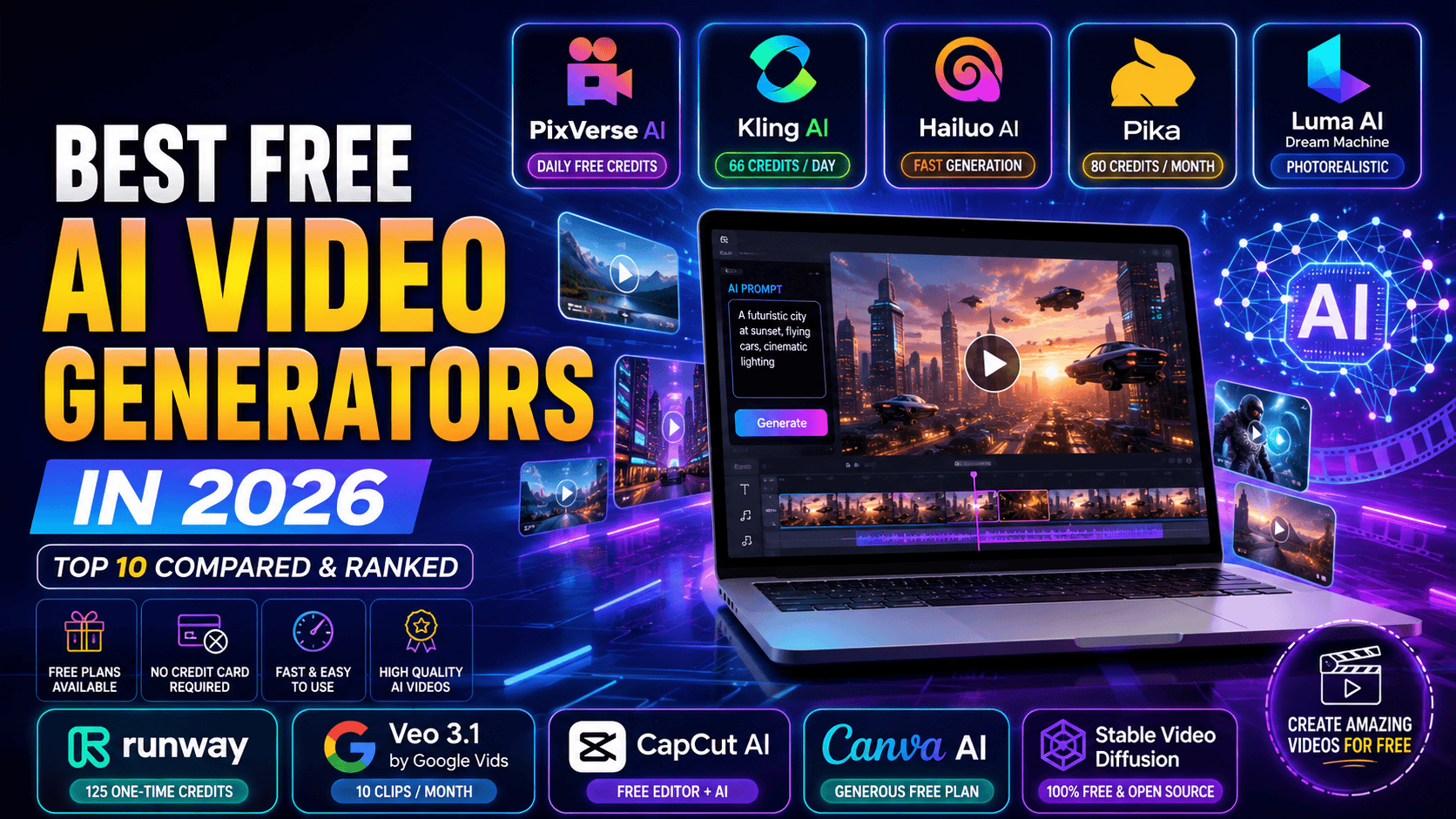
| PixVerse AI | Most generous daily free credits | Yes (90 signup + 60/day) | ~$10/month | Easy | Text-to-video, image-to-video, style effects | 4.5/5 |
| Kling AI | Realistic motion, free daily refresh | Yes (66 credits/day) | ~$7/month | Moderate | Multi-shot storytelling, native audio | 4.5/5 |
| Hailuo AI | Fast generation, anime & realism | Yes (limited credits) | ~$8–10/month | Easy | Fast rendering, physics simulation | 4.1/5 |
| Pika | Creative effects on a budget | Yes (80 credits/month) | ~$8/month | Easy | Pikaffects, object swap, lip-sync | 4.3/5 |
| Luma AI Dream Machine | Fast, photorealistic clips | Yes (limited generations) | ~$30/month | Moderate | Ray video model, HDR output | 4.4/5 |
| Runway | Trying professional-grade tools | Yes (125 one-time credits) | ~$12–15/month | Moderate | Motion brush, camera control, editing suite | 4.6/5 |
| Google Veo 3.1 (Google Vids) | Highest free quality benchmark | Yes (10 clips/month) | Free–$19.99/month | Easy | Cinematic realism, native audio, upscaling | 4.7/5 |
| CapCut AI | Free full editor + AI drafts | Yes (unlimited editing, limited AI credits) | ~$20/month for Pro | Very Easy | Script-to-video, captions, voice clone | 4.3/5 |
| Canva AI Animation | Simple social content | Yes (generous) | ~$10/month (Pro) | Very Easy | Animate templates, Magic tools | 4.6/5 |
| Stable Video Diffusion | Unlimited local generation | Yes (100% free, self-hosted) | Free (needs your own hardware) | Hard | Open-source video diffusion model | 3.9/5 |
Note: Free credit amounts, watermark rules, and pricing change frequently. Always confirm current details on each platform’s official site.
Top 10 Best Free AI Video Generators in 2026
1. PixVerse AI
Overview PixVerse has built a reputation as one of the most generous free AI video tools available. New accounts receive a one-time signup bonus plus daily credits that refresh automatically, which means you can keep generating clips without ever paying, as long as you stay within the daily limit.
Key Features
- Text-to-video and image-to-video generation
- Stylized effects, including a popular “Clay” style
- Fast generation speed, often under a minute
- Daily credit refresh, not just a one-time trial
Pros
- Most generous ongoing free tier in this category
- Fast turnaround for quick social clips
- No credit card required to start
Cons
- Free clips include a watermark and lower resolution
- Credits are spent per attempt, not per successful result
- Commercial use requires a paid plan
Pricing Paid plans start around $10 a month, scaling up for higher resolution and volume.
Free Plan Availability Yes. New users get a signup bonus plus daily refreshing credits, enough for a video or two most days.
Best For Casual creators and hobbyists who want to generate short clips regularly without spending money.
Supported Platforms Web browser and mobile app.
Why It Stands Out in 2026 No other mainstream AI video tool matches PixVerse’s daily free credit refresh, making it genuinely usable long-term rather than a one-time trial.
2. Kling AI
Overview Kling AI, developed by Kuaishou, is known for strong physics simulation and realistic motion. Its free tier refreshes daily, giving users a steady, ongoing way to test the platform’s capabilities without committing to a subscription.
Key Features
- Daily free credit allowance (not one-time)
- Text-to-video and image-to-video generation
- Multi-shot storytelling connecting several scenes
- Native audio generation synced to motion
Pros
- Genuinely renewing free credits, not just a trial
- Strong realism and physics accuracy
- Competitive paid pricing if you choose to upgrade
Cons
- Free tier caps out at lower resolution
- Credit consumption for premium features (like audio) can add up
- Character consistency can slip in longer sequences
Pricing Paid plans start around $7 a month, moving up toward $60-plus for heavier use.
Free Plan Availability Yes, with roughly 66 credits refreshed daily, enough for a few short clips.
Best For Creators who want to test realistic AI video generation regularly, not just once.
Supported Platforms Web app and mobile apps.
Why It Stands Out in 2026 Kling’s daily-refresh model, combined with genuinely strong output quality, makes it one of the best free options for creators who generate video often but don’t want to pay monthly.
3. Hailuo AI (MiniMax)
Overview Hailuo AI, built by MiniMax, is known for extremely fast rendering and strong performance on physics-heavy scenes. It offers a workable free tier and supports both realistic and anime-style video generation.
Key Features
- Fast text-to-video and image-to-video generation
- Support for both realistic and stylized/anime output
- Physics-accurate motion simulation
- Free credits available on signup
Pros
- Very fast generation, often under a minute per clip
- Works well for both realistic and stylized content
- Reasonably priced upgrade path if needed
Cons
- Free credits run out quickly at higher resolutions
- Independent review scores have been mixed on some platforms
- Data processing policies are worth reviewing before uploading sensitive content
Pricing Paid plans typically start around $8–10 a month.
Free Plan Availability Yes, with a limited starting credit allowance.
Best For Creators who want speed and stylistic range without paying upfront.
Supported Platforms Web app and mobile.
Why It Stands Out in 2026 Hailuo’s rendering speed remains hard to beat, letting free users test many ideas quickly before their credits run low.
4. Pika
Overview Pika stands out for its playful, effects-driven approach to AI video. Its free plan includes a real monthly credit allowance rather than just a one-time trial, making it a solid pick for short-form, creative social content.
Key Features
- Pikaffects for physics-defying visual effects (melt, explode, inflate)
- Object and character swaps inside existing footage
- Keyframe interpolation between start and end images
- Audio-driven lip-sync tool
Pros
- Monthly free credits, not just a single trial
- Distinctive effects not found on most competing tools
- Simple, approachable interface
Cons
- Free tier outputs are capped at lower resolution
- Less suited for long-form or narrative content
- Commercial use rights require a paid plan
Pricing Paid plans start around $8 a month.
Free Plan Availability Yes, with roughly 80 monthly credits at 480p resolution.
Best For Social media creators who want fun, attention-grabbing effects for short clips.
Supported Platforms Web browser, with growing mobile support.
Why It Stands Out in 2026 Its signature creative effects remain unique in the free-tier AI video space, giving casual creators something more distinctive than a standard realistic clip.
5. Luma AI Dream Machine
Overview Luma AI’s Dream Machine is known for fast, photorealistic video generation. While its free access has become more limited than some competitors, it remains a strong option for creators who want to sample high-quality, cinematic-style output.
Key Features
- Fast video generation, often under a minute
- Strong lighting and camera realism
- Access to Luma’s Ray video model
- Image-to-video and text-to-video support
Pros
- High visual quality, especially lighting and realism
- Fast turnaround compared to many competitors
- Useful for testing cinematic-style prompts
Cons
- Free access is more limited than tools like PixVerse or Kling
- No permanent low-cost paid tier; plans jump straight to higher pricing
- Iteration to get a usable clip can burn through free generations quickly
Pricing Paid plans generally start around $30 a month.
Free Plan Availability Limited free generations are available, though exact allowances vary by product surface and change periodically.
Best For Creators who want to sample premium-feeling, photorealistic video before deciding whether to subscribe.
Supported Platforms Web browser, with API access for developers.
Why It Stands Out in 2026 Even with a smaller free allowance, Dream Machine’s speed and visual polish make each free generation feel worth using carefully.
6. Runway
Overview Runway is one of the most capable AI video platforms available, combining generation with a full editing suite. Its free plan is best described as a sample tray: enough to evaluate the tool, not enough to rely on for regular content.
Key Features
- Text-to-video and image-to-video generation
- Motion brush and camera controls
- Built-in video editing timeline
- Access to multiple third-party AI models on paid plans
Pros
- Professional-grade output quality
- Full editing environment, not just generation
- Useful for evaluating whether premium AI video is worth paying for
Cons
- Free credits are a one-time allowance that doesn’t renew
- Free exports are capped at 720p and carry a watermark
- Steeper learning curve than simpler free tools
Pricing Paid plans start around $12–15 a month on annual billing.
Free Plan Availability Yes, but limited to 125 one-time credits, good for two or three short test clips.
Best For Creators who want to test premium, cinematic-quality AI video before committing to a subscription.
Supported Platforms Web browser.
Why It Stands Out in 2026 Even with a limited free tier, Runway’s output quality gives free users a clear look at what professional-grade AI video can achieve.
7. Google Veo 3.1 (via Google Vids)
Overview Google opened access to its flagship Veo 3.1 model to all personal Google accounts through Google Vids in 2026, making a top-tier AI video model available for free, with no credit card required.
Key Features
- Cinematic realism with natural motion and lighting
- Native audio generation synced to video
- Text-to-video and image-to-video support
- Upscaling to higher resolutions on paid Google AI plans
Pros
- Considered one of the highest-quality AI video models available
- No credit card needed for the free allowance
- Backed by Google’s infrastructure, meaning fewer reliability issues
Cons
- Free plan is capped at around 10 generations per month
- Each free clip is limited to about 8 seconds
- Full access to higher resolutions requires a paid Google AI plan
Pricing Free tier included with any personal Google account; paid Google AI plans start around $7.99–$19.99 a month for expanded access.
Free Plan Availability Yes, roughly 10 video generations per month via Google Vids, no subscription required.
Best For Creators who want the highest possible free-tier quality and don’t need daily output.
Supported Platforms Web browser via Google Vids, with mobile access through the Gemini app.
Why It Stands Out in 2026 Very few free tools offer output quality this close to premium, paid-tier results, making Veo 3.1’s free allowance one of the best quality-per-generation deals available.
8. CapCut AI Video Generator
Overview CapCut is best known as a full video editor, and its desktop and web versions remain genuinely free with no watermark on standard editing. Its newer AI features, like script-to-video generation and digital avatars, run on a separate, more limited credit system.
Key Features
- Free full timeline editor with transitions, effects, and audio tools
- AI script-to-video draft generation
- Digital avatar and voice clone tools
- Auto-captioning and subtitle generation
Pros
- The core video editor is genuinely free, with no watermark
- Useful for polishing AI-generated clips from other tools
- Familiar, beginner-friendly interface
Cons
- AI-specific features (avatars, script-to-video) are limited on the free plan
- Owned by ByteDance, so privacy-conscious users should review its data policies
- Best used as a finishing tool rather than a primary AI generator
Pricing Pro plans for expanded AI credits start around $20 a month.
Free Plan Availability Yes. The editor itself is fully free; AI generation features include limited monthly credits.
Best For Creators who want to edit and polish AI-generated footage from other tools, all in one free app.
Supported Platforms Desktop, web, and mobile apps.
Why It Stands Out in 2026 Few free tools combine a professional editing timeline with AI drafting features in the same app, making CapCut a strong companion to dedicated AI video generators.
9. Canva AI Animation
Overview Canva has expanded well beyond static design into AI-assisted animation. While it isn’t a dedicated video generator in the same sense as Runway or Kling, its Animate feature and Magic tools make it easy to produce polished, moving social content for free.
Key Features
- One-click Animate feature for designs and templates
- Magic Design and Magic Resize tools
- Large free template and stock asset library
- Simple sharing and team collaboration
Pros
- One of the most generous free plans in this category
- Extremely beginner-friendly
- Great for quick, professional-looking social posts
Cons
- Not built for realistic or character-driven AI video generation
- Animation options are more limited than dedicated AI video tools
- Best suited for short, template-based content rather than long-form video
Pricing Canva Pro starts around $10–13 a month if you want to upgrade.
Free Plan Availability Yes, and it remains one of the more generous free plans available.
Best For Beginners and small businesses who want simple, animated graphics without learning a new tool.
Supported Platforms Web, desktop, and mobile apps.
Why It Stands Out in 2026 Canva’s free plan lets you design, animate, and export content without ever hitting a paywall for basic social media use.
10. Stable Video Diffusion (Open Source)
Overview For technically inclined creators, Stable Video Diffusion offers something no subscription-based tool can: completely free, unlimited generation with no watermark, because it runs on your own hardware rather than a company’s servers.
Key Features
- Fully open-source video diffusion model
- No watermark, no credit limits, no subscription
- Runs locally on your own computer or cloud instance
- Community-built tools and interfaces available
Pros
- Genuinely unlimited and free forever
- No watermark or resolution restrictions imposed by a company
- Full control over settings and output
Cons
- Requires a capable GPU and technical setup knowledge
- Clip length is typically limited to a few seconds
- No customer support or polished user interface
Pricing Free, but you’ll need your own hardware capable of running the model, or a rented cloud GPU.
Free Plan Availability Yes, 100% free with no company-imposed limits, though hardware costs may apply if you don’t already own a suitable computer.
Best For Developers, hobbyists, and technically confident creators who want full control and truly unlimited generation.
Supported Platforms Runs locally via desktop installation or self-hosted cloud servers.
Why It Stands Out in 2026 It’s the only tool on this list with zero corporate credit limits, watermarks, or subscription pressure, making it the ultimate free option for anyone willing to handle the technical setup.
Best Free AI Video Generator Overall
If you want the single best balance of quality and accessibility, Google Veo 3.1 via Google Vids is the strongest pick. Ten free generations a month may not sound like much, but the output quality rivals paid tools elsewhere, and no credit card is required.
For creators who want to generate more frequently, PixVerse AI and Kling AI are excellent runners-up, since both refresh your credits daily rather than giving you a one-time trial.
Best Free AI Video Generator for YouTube
YouTubers need consistent, publish-ready content, so CapCut AI paired with Google Veo 3.1 makes a strong free combination: generate a high-quality clip with Veo, then polish, caption, and export with CapCut’s free editor. If you’re just getting your channel off the ground, it’s worth reviewing how to upload your first YouTube video in 2026 and how to verify your YouTube channel before you start publishing.
For animated or stylized YouTube content, Kling AI’s daily free credits also make it a practical long-term option.
Best Free AI Video Generator for Beginners
New to AI video? Start with Canva AI Animation. Its drag-and-drop interface and generous free plan make it the easiest entry point, with no confusing credit systems to learn upfront.
PixVerse AI is a good second stop once you’re ready to try true text-to-video generation, since its daily credit refresh removes the pressure of a one-time trial.
Best Free AI Video Generator for Businesses
Small businesses testing AI video for marketing should start with Google Veo 3.1, since its output quality is strong enough for real campaigns and doesn’t require an upfront subscription. If you’re weighing video production against other growth ideas, Finzaro360’s guide on which kinds of business will boost your income in 2026 is a helpful companion read.
For ongoing branded content without watermarks getting in the way, businesses will likely need to graduate to a paid plan eventually, but Kling AI and CapCut offer the most workable free starting points.
How to Choose the Right Free AI Video Generator
Daily vs. One-Time Credits
Some tools (like PixVerse and Kling) refresh your free credits daily, while others (like Runway) give you a one-time allowance that never renews. Pick based on how often you plan to generate.
Resolution Limits
Free tiers often cap output at 480p or 720p. If your content needs to look sharp on a big screen or in a professional context, factor this in.
Watermarks
Almost every free plan adds a watermark to your output. Check whether removing it requires a specific paid tier before you build a workflow around a “free” tool.
Commercial Use Rights
Many free plans restrict you to personal, non-commercial use. If you plan to use the video for a business or client, confirm the license terms first.
Ease of Use
Tools like Canva and CapCut are built for beginners, while Runway and Kling involve more technical settings. Match the tool to your comfort level.
Clip Length
Free plans usually cap videos at 5–10 seconds. If you need longer content, you’ll likely need to stitch multiple clips together or upgrade.
Generation Speed
Some free tools generate a clip in under a minute, while others take several minutes, especially during peak usage hours.
Sign-Up Requirements
Most tools on this list don’t require a credit card for their free tier, but a few ask for one upfront. If you want zero financial commitment, prioritize tools that don’t ask for payment details.
Style Fit
Realistic tools (Veo, Kling, Luma) suit cinematic or marketing content. Effects-driven tools (Pika) suit social virality. Template tools (Canva, CapCut) suit quick, polished graphics.
Long-Term Usability
A tool that renews credits daily or monthly, like PixVerse or Kling, is more sustainable for regular use than a one-time trial like Runway’s free plan.
Pros and Cons of Free AI Video Generators
| Pros | Cons |
|---|---|
| Zero cost to start experimenting with AI video | Most free plans include a visible watermark |
| Many tools no longer require a credit card | Resolution and clip length are usually capped |
| Great way to compare tools before paying for any one platform | Commercial use is often restricted on free tiers |
| Daily-refresh tools (PixVerse, Kling) allow ongoing free use | Credits are spent per attempt, not per successful result |
| Free tools now rival paid quality from a year or two ago | Free plans can change or shrink with little notice |
| Useful for students, hobbyists, and small businesses on a budget | Heavy or professional use will eventually require a paid plan |
Frequently Asked Questions
1. Are free AI video generators actually free, or is it a trick? Most are genuinely free to start, but with real limits: watermarks, capped resolution, limited credits, or restrictions on commercial use. They’re not tricks, but they are designed to encourage upgrades.
2. Which free AI video generator has the most generous free plan? PixVerse AI and Kling AI currently offer the most generous ongoing free plans, since both refresh credits daily rather than giving a one-time allowance.
3. Can I use free AI-generated videos for my business or YouTube channel? It depends on the platform’s terms. Many free plans restrict commercial use, so check the license before using a video in paid campaigns or monetized content.
4. Do free AI video tools add a watermark? Yes, almost all of them do on the free tier. Removing the watermark typically requires upgrading to a paid plan.
5. What’s the best totally free option with no watermark at all? Stable Video Diffusion, since it runs on your own hardware with no company-imposed restrictions. The tradeoff is that it requires technical setup and a capable computer.
6. Is Google Veo 3.1 really free? Yes, Google gives every personal Google account about 10 free video generations per month through Google Vids, with no credit card required. Higher volumes and resolutions need a paid Google AI plan.
7. Which free AI video generator is best for beginners? Canva AI Animation is the easiest starting point, thanks to its simple interface and generous free plan that doesn’t involve confusing credit systems.
8. How long can free AI-generated videos be? Most free plans cap clips at around 5 to 8 seconds. Longer videos usually require stitching multiple clips together or upgrading to a paid plan.
9. Do I need a credit card to try these tools? Most tools on this list, including PixVerse, Kling, Pika, and Google Veo 3.1, don’t require a credit card for their free tier. Always double-check before signing up.
10. Can I combine multiple free AI video tools in one project? Yes, and many creators do. A common workflow is generating clips with one tool (like Kling or Veo) and then editing, captioning, and finishing the video in a free editor like CapCut.
11. Will free AI video generator plans get better or worse over time? It’s genuinely mixed. Some companies expand free tiers to attract users, while others tighten limits once they’ve built a user base. Check current terms regularly rather than assuming a plan stays the same.
12. Are free AI video tools good enough for professional use? Quality has improved a lot, and tools like Google Veo 3.1 can produce genuinely impressive results. For high-stakes commercial work, though, a paid plan with full resolution and commercial licensing is usually the safer choice.
Conclusion
You don’t need to spend money to start experimenting with AI video in 2026. Whether you’re a student testing ideas, a YouTuber looking for extra content, or a small business exploring video marketing, there’s a free tool on this list that fits.
For the best overall quality without paying, start with Google Veo 3.1. For daily, ongoing free generation, PixVerse AI and Kling AI lead the pack. Beginners should start with Canva, and anyone polishing AI-generated clips into a finished video will appreciate CapCut’s free editor.
The smartest approach is to try two or three free plans, compare the output quality and limits against your actual needs, and only upgrade once you know exactly which paid features you’ll use.
Disclaimer
Features, free plan limits, and pricing for the tools mentioned in this article may change at any time, as AI companies frequently update their products and credit systems. Readers should always verify current details on each tool’s official website before relying on a specific free plan. This article is provided for educational and informational purposes only and does not constitute a paid endorsement of any product mentioned.