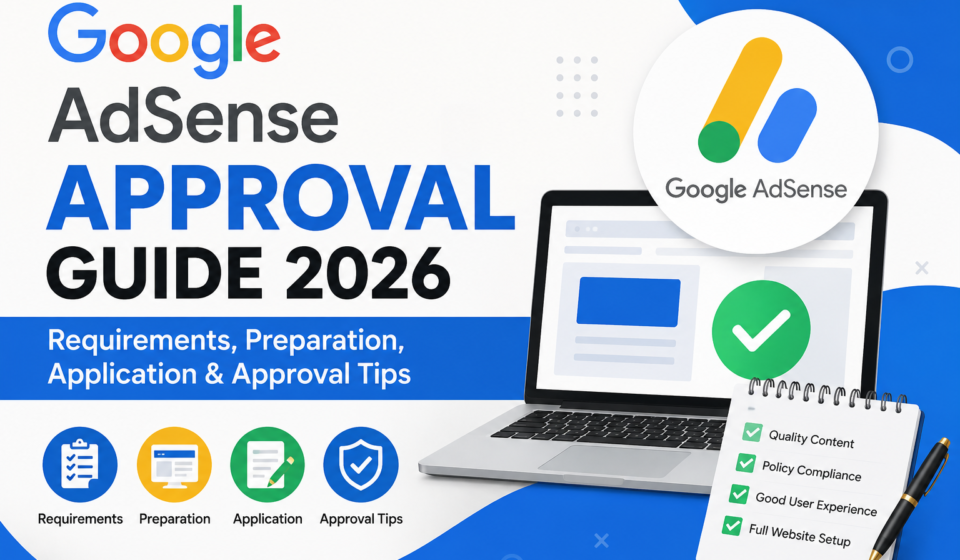
Google AdSense Approval Guide 2026: Requirements, Preparation, Application & Approval Tips

Google AdSense Approval Guide 2026
Do you want to earn money from your website with Google ads? Google AdSense is one of the best ways to do this. But getting approved is not always easy. Many people apply and get rejected. Then they feel sad and confused.
This guide will help you. We will explain everything in very simple English. You will learn what Google wants, how to prepare your site, how to apply, and how to increase your chance of approval in 2026.
What Is Google AdSense?
Google AdSense is a free program from Google. It lets website owners show ads on their pages. When people see or click these ads, the website owner earns money. Google pays you every month if you reach the minimum payment amount.
Many bloggers, YouTubers, and website owners use AdSense as their first way to earn money online. It is simple to use once you get approved. But before you can use it, Google checks your website carefully. This checking process is called “AdSense approval” or “AdSense review.”
In 2026, Google has become more careful about who gets approved. This is because many low-quality websites and AI-copied content sites tried to join AdSense. So now Google looks more closely at content quality, site design, and user experience before giving approval.
Why Is AdSense Approval Harder in 2026?
A few years ago, getting AdSense approval was easier. People with small, simple blogs got approved quickly. But now things have changed.
Here are the main reasons approval is harder now:
- Too many websites are applying. Google gets millions of applications. They must filter out low-quality sites.
- AI content is everywhere. Many people use AI tools to create articles without checking or editing them. Google can often tell when content has no real value, and this hurts approval chances.
- Google wants real, helpful content. Google’s “helpful content” system checks if your website actually helps real people, or if it is just written to attract ads.
- Spam and copied content increased. Some people copy content from other websites. Google’s system can detect duplicate content easily.
This does not mean approval is impossible. It just means you need to prepare your website properly before applying. Let’s look at what you need.
Basic Requirements for Google AdSense in 2026
Before you even think about applying, check these basic requirements. If you miss any of these, your chances of approval become very low.
1. You Must Own the Website
You need to have full control of your website. This means you can edit the HTML code, add scripts, and manage the site settings. If you are using a free platform where you cannot add custom code, this can be a problem.
2. Your Age Must Be 18 or Above
Google requires that you are at least 18 years old to have an AdSense account. If you are younger, you may need a parent or guardian to create the account for you (in regions where this is allowed), but generally, the account holder must be an adult.
3. Your Content Must Follow Google’s Policies
Google has strict rules about what kind of content is allowed. Your website cannot have:
- Adult or sexual content
- Content that promotes violence or hate
- Content about illegal drugs or weapons
- Copied or plagiarized content
- Content that tricks or misleads users
- Dangerous or harmful information
If your website has any of this content, even by mistake, you will not get approved.
4. Your Website Must Have Original, Useful Content
This is the most important part. Google wants to show ads only on websites that give real value to readers. Your articles should:
- Be written in your own words
- Solve a real problem or answer a real question
- Be well-organized with headings and paragraphs
- Be free from major grammar and spelling mistakes
- Have enough depth (not just 200-300 words of thin content)
Most experts suggest having at least 15 to 25 published articles before applying, each with around 800 to 1,500 words of quality content. This is not an official Google rule, but it is a common pattern seen among sites that get approved.
5. Your Website Needs a Professional Design
Your website should look clean, simple, and easy to use. This means:
- A clear menu or navigation bar
- A responsive design that works well on mobile phones
- Fast loading speed
- No broken links or missing images
- No pop-ups that annoy visitors too much
Google checks how your website performs using things like Core Web Vitals, which measure loading speed, visual stability, and interactivity. A slow or messy website can hurt your approval chances, even if your content is good.
6. You Need Certain Important Pages
Google expects your website to have some standard pages. These build trust and show that you run a real, professional website. You should have:
- About Us page – Explains who you are and why you started the website
- Contact Us page – Gives a way for users (and Google) to reach you
- Privacy Policy page – Explains how you collect and use visitor data
- Terms and Conditions page – Explains the rules for using your website
- Disclaimer page (if needed) – Especially important for finance, health, or legal topics
These pages are not just formalities. They show Google that your site is trustworthy and transparent.
Does Website Age or Traffic Matter?
Many people ask this question: “Does my website need to be old, or do I need lots of visitors before applying?”
Here is the honest answer. Google does not officially require a minimum website age or a minimum number of visitors. Some new websites, even ones only a few weeks old, have been approved. But having some real traffic and a site that has existed for a little while does help build trust.
If your website is brand new with only two or three posts, it is better to wait and add more content first. A site with more history and content naturally looks more trustworthy to Google’s reviewers.
Preparing Your Website Before You Apply
Preparation is the most important step. Many rejections happen because people apply too early, before their website is really ready. Let’s go through a proper preparation checklist.
Step 1: Choose a Clear Niche
A “niche” means the main topic of your website. It is better to focus on one main topic area instead of writing about everything randomly. For example, a website about personal finance, or a website about AI tools, looks more focused and professional than a website that jumps between cooking, cars, and celebrities.
A focused website, sometimes called a “micro niche” site, helps you build authority in one area. This is a small trick that many bloggers use to speed up approval.
Step 2: Write Enough High-Quality Articles
As mentioned earlier, aim for around 15 to 25 solid articles before applying. Each article should:
- Answer a real question people search for
- Be written clearly and simply
- Include helpful details, not just filler words
- Be free of copied text from other websites
Do not rush this step. Quality matters much more than quantity. Ten really good articles are better than thirty weak, repetitive ones.
Step 3: Make Sure Your Website Is Mobile-Friendly
Most visitors browse from their phones. Your website theme must adjust automatically to phone screens. Test your website on your own phone. If text is too small, buttons are hard to click, or images overflow the screen, fix your theme settings.
Step 4: Improve Your Website Speed
A slow website frustrates both visitors and Google’s review system. Some simple ways to improve speed:
- Compress your images before uploading them
- Avoid using too many heavy plugins (for WordPress users)
- Use a good, lightweight theme
- Use a caching plugin or tool
Step 5: Add the Required Pages
Go back and check that you have added About Us, Contact Us, Privacy Policy, Terms and Conditions, and a Disclaimer if needed. These pages should be easy to find, usually linked in the footer or menu of your website.
Step 6: Connect Google Search Console
Google Search Console is a free tool that helps you see how Google views your website. It shows if your pages are indexed (added to Google’s search results) or if there are errors. Getting your pages indexed before applying for AdSense is a strong signal that your website is active and recognized by Google.
If your pages are not getting indexed, this can be a problem. Indexing issues are common among new websites, so make sure to check and fix this before applying.
Step 7: Remove Any Copied or Duplicate Content
Double-check every article you have published. If you copied text from anywhere, even by accident, rewrite it in your own words. Tools that check for plagiarism can help you confirm your content is original.
Step 8: Check for Broken Links and Errors
Broken links, missing images, and error pages create a bad experience. Go through your website page by page and fix any issues you find.
How to Apply for Google AdSense
Once your website is ready, here is how to actually apply.
Step 1: Create or Sign In to Your Google Account
You need a Google account (like a Gmail account) to sign up. If you don’t have one, create it first.
Step 2: Go to the AdSense Website
Visit the official Google AdSense website and click on the sign-up button. Never use third-party or unofficial links to apply, since this could put your data at risk.
Step 3: Enter Your Website URL
You will be asked to type your website address. Make sure you type it correctly, without any typing mistakes.
Step 4: Choose Your Country and Payment Details
Select the country where you live. This should match your actual location because it affects your tax and payment settings later.
Step 5: Connect Your Site to AdSense
Google will give you a small code snippet. You need to paste this code into the header section of your website. This lets Google’s system read your website and start the review.
If you use WordPress, you can either paste the code manually in your theme’s header file, or use a plugin designed for adding AdSense code, which is often the easier option for beginners.
Step 6: Submit for Review
After adding the code, submit your website for review. Now you wait. Google usually reviews the site within a few days, though it can sometimes take up to a few weeks.
What Happens During the Review?
During the review, Google’s system and sometimes a human reviewer check your website’s content, design, policies, and overall trustworthiness. They are checking things like:
- Is the content original and helpful?
- Does the site follow AdSense program policies?
- Is the design professional and easy to use?
- Are there any policy violations, like adult content or misleading information?
- Does the site have proper pages like Privacy Policy and About Us?
You do not need to do anything extra during this waiting period, except make sure your website stays online and working properly.
Common Reasons for AdSense Rejection
If your application gets rejected, don’t panic. Rejection is common, and many people get approved after fixing the issues and reapplying. Here are the most common reasons for rejection:
- Low-quality or thin content – Articles that are too short or don’t provide real value
- Insufficient content – Not enough articles published yet
- Copied content – Content taken from other websites without proper changes
- Missing important pages – No Privacy Policy, About Us, or Contact page
- Under construction or incomplete website – Broken pages, missing sections, placeholder text
- Navigation problems – Confusing menus, hard to find content
- Policy violations – Content that breaks Google’s rules
- Site not accessible – Google’s system could not properly load or read your website
What to Do If You Get Rejected
Getting rejected is not the end. Many successful website owners were rejected once or even multiple times before getting approved. Here’s what to do:
- Read the rejection email carefully. Google usually tells you the general reason for rejection.
- Fix the specific issues mentioned. If it says “low value content,” add more detailed, helpful articles. If it says “insufficient content,” add more posts.
- Wait before reapplying. Google recommends waiting some time (often around two to four weeks) before applying again, so you have enough time to make real improvements.
- Do not make small, cosmetic changes only. Make real, meaningful improvements to your content and site structure.
- Reapply once you are confident the issues are fixed.
Tips to Increase Your Approval Chances
Here are some extra tips that many successful publishers recommend:
- Focus on E-E-A-T: This stands for Experience, Expertise, Authoritativeness, and Trustworthiness. Share real experiences, show your knowledge, and build trust with your readers.
- Write for humans first, not just for search engines. If your content only tries to rank on Google but doesn’t actually help people, it may fail review.
- Keep your website design simple and clean. Avoid too many ads, pop-ups, or flashy elements before you are even approved.
- Publish regularly. A website that adds new content often looks more active and trustworthy.
- Avoid AI-generated content without human editing. If you use AI tools to help write, always review, edit, and personalize the content afterward.
- Make sure your site is secure (HTTPS). A secure website builds trust with both visitors and Google.
- Check your site loads correctly in different browsers. Test on Chrome, Firefox, and mobile browsers.
After Approval: What Happens Next?
Congratulations, if you get approved! Here is what happens after approval:
- Google will give you a unique ad code for your account.
- You can create different ad units, or use Auto Ads, which is Google’s smart system that automatically places ads in good positions on your pages.
- Ads will start showing on your website.
- You start earning money based on ad views and clicks.
- Once you reach the minimum payment threshold, Google pays you through your chosen payment method.
Remember that approval is just the beginning. To earn good money, you need to keep growing your website traffic, publishing quality content, and following Google’s policies at all times. Getting approved does not guarantee huge income right away. It takes time to build a steady audience and earnings.
Final Thoughts
Getting Google AdSense approval in 2026 requires more preparation than before, but it is still very possible for anyone willing to put in the effort. Focus on writing real, helpful, original content. Make your website look professional and easy to use. Add all the required pages. Be patient during the review process, and don’t lose hope if you get rejected the first time.
Many successful bloggers and website owners started exactly where you are now. With the right preparation, your website can also get approved and start earning through Google AdSense.
If you want to learn more about growing your website, fixing indexing problems, and improving your content for both readers and Google, check out more helpful guides on Finzaro360, especially their detailed article on why your website is not getting organic traffic and 10 major steps to take before publishing an article on WordPress or Blogger. These guides can help you build a stronger, more trustworthy website before you apply for AdSense.