
Canva pro vs free in 2026 is used by over 175 million people globally in 2026. It is the go-to design tool for bloggers, YouTubers, freelancers, and businesses who need professional visuals without learning Photoshop. But every Canva user eventually faces the same question: Is Canva Pro worth paying for, or is the free plan enough?
We’ve used both plans extensively. Here is an honest, detailed answer based on real-world use — not marketing copy.
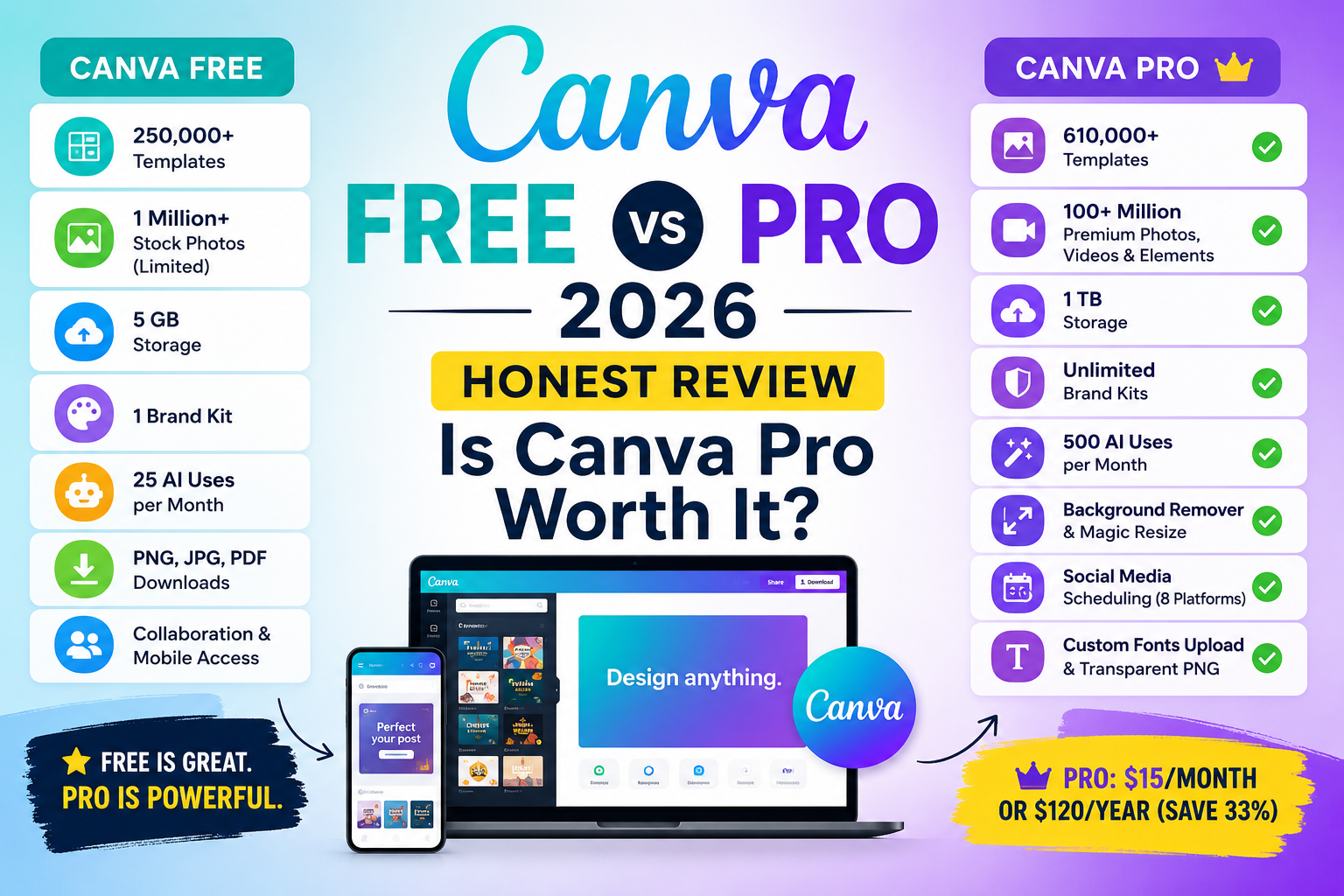
Canva Free vs Pro: Complete Comparison Table
| Feature | Canva Free | Canva Pro ($15/mo or $120/yr) |
|---|---|---|
| Templates | 250,000+ | 610,000+ |
| Stock Photos and Videos | 1 million (limited) | 100+ million premium |
| Storage | 5 GB | 1 TB |
| Brand Kit | 1 brand kit | Unlimited brand kits |
| Background Remover | Not available | Unlimited |
| Magic Resize | Not available | Unlimited |
| AI Tools (Magic Studio) | 25 uses/month | 500 uses/month |
| Social Media Scheduling | Not available | Up to 8 platforms |
| Custom Fonts Upload | Not available | Unlimited |
| Transparent PNG Export | Not available | Available |
| Price | Free forever | $15/month or $120/year |
What Canva Free Actually Gives You
Canva’s free plan is genuinely impressive — it is not a crippled demo. Free includes: 250,000+ templates, 1 million+ stock photos and icons, all standard design tools, PNG/JPG/PDF downloads, 25 AI uses per month, real-time collaboration, mobile app, and 5 GB storage.
Verdict: For casual personal use, school projects, and simple social media graphics — free is completely sufficient. Many bloggers and creators use Canva Free successfully for years.
The 6 Pro Features That Change Everything
1. Background Remover
Remove backgrounds from photos with one click — no separate tools needed. Essential for product photos, thumbnails, and logo work. On free, you must use external sites and re-upload.
Who needs it: Freelancers, ecommerce sellers, YouTube thumbnail creators, content creators.
2. Magic Resize
Design once, resize to any platform format instantly. Instagram post becomes YouTube thumbnail, LinkedIn banner, and Twitter header in seconds — all perfectly proportioned. If you run a YouTube channel or manage multiple platforms, this alone justifies Pro.
3. Brand Kit
Save your brand colors, fonts, and logo in one place. Create unlimited brand kits for different clients. Every design auto-applies your brand. Essential for freelancers managing multiple client brands.
4. 100+ Million Premium Stock Assets
Pro unlocks 100x more photos, videos, audio tracks, and elements — all with commercial licensing. Many of the most beautiful free templates use premium assets that are watermarked on the free plan.
5. AI Magic Studio (500 uses/month)
Pro gives 500 monthly uses of Magic Write (AI copywriting), Magic Media (AI image/video generation), Magic Edit (object removal), Magic Expand (background extension), and Magic Eraser. Free plan gives only 25. For other AI tools comparison, read our ChatGPT vs Claude vs Gemini vs Grok 2026 guide.
6. Social Media Scheduling
Design and schedule posts to 8 platforms directly from Canva — no separate scheduling tools needed for basic requirements. Great for social media managers and content creators.
Who Should Upgrade to Pro?
| User Type | Upgrade? | Key Reason |
|---|---|---|
| Freelance designer (3+ clients) | YES — immediately | Brand kits and background remover save 5+ hours/week |
| YouTube creator (consistent) | YES | Magic Resize for thumbnails, premium templates |
| Blogger with a brand | YES | Brand kit consistency, 1TB storage, premium stock |
| Social media manager | YES | Multiple brand kits, Magic Resize, scheduling |
| Small business owner | YES | Professional output, brand consistency |
| Casual personal user | NO | Free plan is more than enough |
| Student | NO (or use Education plan) | Free plan sufficient; Education plan gives Pro free |
| New blogger just starting | NO — start free | Master free first, upgrade when earning |
How to Get Canva Pro Cheaper
- Annual plan ($120/year) — saves 33%, breaks down to $10/month
- Canva Teams ($10/person) — cheaper than two individual Pro plans for pairs
- Canva Education (Free) — verified teachers and students get Pro completely free
- Canva Nonprofit (Free) — registered nonprofits get Pro free
- 30-day free trial — test all Pro features before committing
Canva for Freelancers and Bloggers
If you offer design, content creation, or social media services, Canva Pro pays for itself within your first client project. Background removal and Magic Resize alone save hours every week.
Canva skills are also highly marketable on Fiverr and Upwork. Read our guide on how to make money with AI freelancing in 2026 for specific service ideas.
For bloggers, Canva has its own affiliate program that pays recurring commissions. We’ve covered all the best options in our list of best affiliate programs for beginners in 2026.
And if you’re just getting started online, our complete guide to starting a blog in 2026 covers how to use Canva to create professional blog graphics from day one.
Best Canva Pro Alternatives in 2026
- Adobe Express — Free and premium tiers. Better Adobe ecosystem integration.
- Microsoft Designer — Free, AI-powered, excellent for Microsoft 365 users.
- Figma — Industry-standard UI/UX design. Better than Canva for interface design professionals.
- Piktochart — Excellent specifically for infographics and data visualization.
Final Verdict
Canva Free: Outstanding for personal use and anyone just starting out. Use it until you clearly need Pro features.
Canva Pro: Worth every dollar if you create content regularly, manage multiple brands, work with clients, or earn from content creation. The background remover and Magic Resize alone save enough time to pay for the subscription within weeks.
Our recommendation: Start with the 30-day free trial. Use background remover, Magic Resize, and the brand kit actively during that month. If you’re using them daily — upgrade. If not — the free plan has everything you need.
Disclaimer
This article is for informational and review purposes only. Canva pricing and features may change — always verify at canva.com. This article may contain affiliate links; if you purchase through them, Finzaro360 may earn a commission at no extra cost to you. Affiliate relationships do not influence our recommendations. Read our full Disclaimer and Privacy Policy.
Published by Finzaro360 | Learn. Earn. Grow Online.