
Affiliate Disclosure: This article contains Amazon affiliate links. If you purchase through our links, we earn a small commission at no extra cost to you. We only recommend products we genuinely believe in.
Whether you’re a graphic designer, writer, developer, or virtual assistant — your laptop is your most important business tool. A slow or unreliable machine costs you clients, time, and money.
If you’re just starting your freelancing journey, check out our complete guide: Freelancing Kaise Shuru Karein Pakistan 2026 — it covers everything from choosing a skill to getting your first client. And if you want to use AI to speed up your freelancing work, don’t miss our guide on How to Make Money with AI Freelancing in 2026.
We tested and researched the top laptops available in 2026 to bring you this definitive guide. Every laptop on this list has been evaluated for:
- ⚡ Performance — Can it handle your workload?
- 🔋 Battery Life — Will it last through long work sessions?
- 💼 Portability — Easy to carry to a café or co-working space?
- 💰 Value for Money — Is it worth the price?
Let’s dive in.
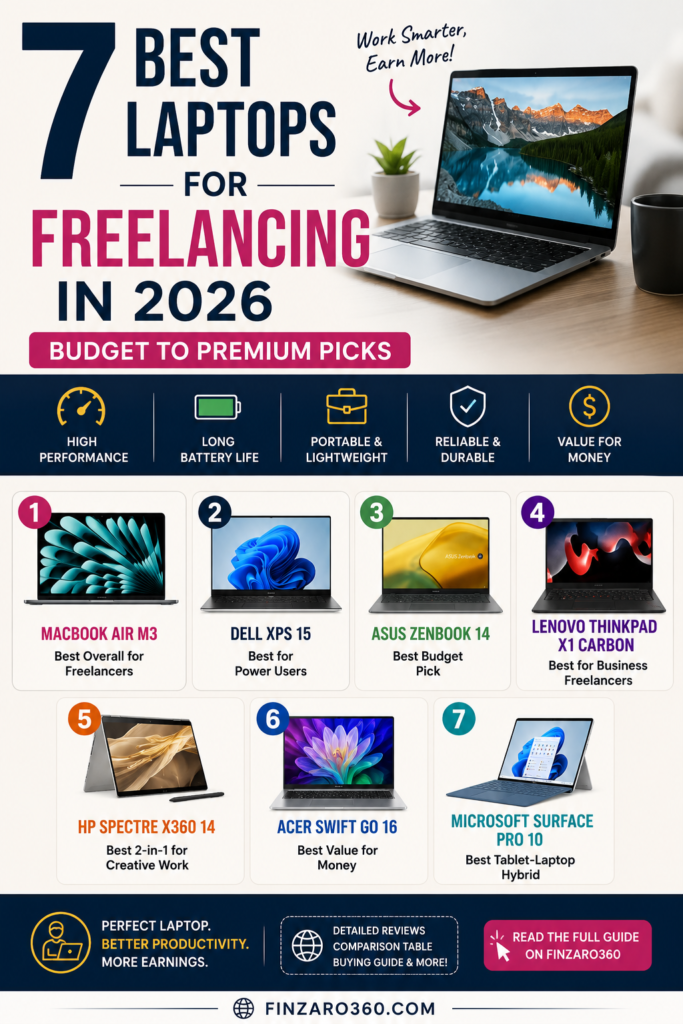
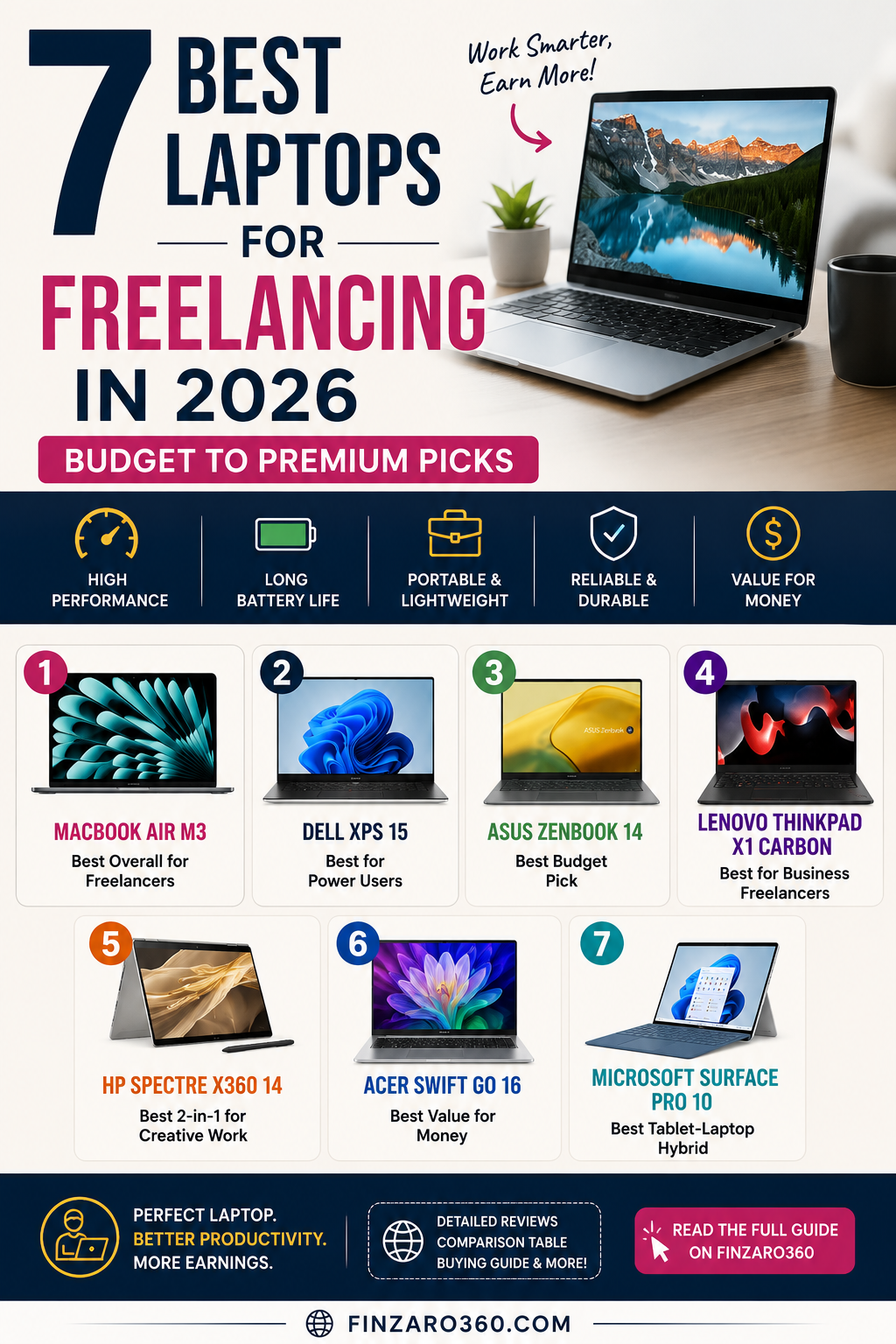
Quick Comparison Table
| Laptop | Best For | RAM | Battery | Price Range | Amazon Link |
|---|---|---|---|---|---|
| MacBook Air M3 | Designers & Writers | 8–24GB | 18 hrs | $$$$ | View on Amazon |
| Dell XPS 15 | Power Users | 16–64GB | 13 hrs | $$$$ | View on Amazon |
| ASUS ZenBook 14 | Budget Pick | 16GB | 12 hrs | $$ | View on Amazon |
| Lenovo ThinkPad X1 Carbon | Business Freelancers | 16–32GB | 15 hrs | $$$$ | View on Amazon |
| HP Spectre x360 | 2-in-1 Versatility | 16–32GB | 17 hrs | $$$ | View on Amazon |
| Acer Swift Go 16 | Best Value | 16GB | 10 hrs | $$ | View on Amazon |
| Microsoft Surface Pro 10 | Tablet + Laptop | 16–32GB | 14 hrs | $$$ | View on Amazon |
1. 🏆 Apple MacBook Air M3 — Best Overall for Freelancers
Best for: Designers, Video Editors, Writers, Developers
The MacBook Air M3 is hands-down the best all-around laptop for freelancers in 2026. Apple’s M3 chip delivers desktop-class performance in an incredibly thin and silent machine — no fan noise during video calls.
Paired with the 15 Best Free AI Tools in 2026 and our Free AI Prompt Generator, the MacBook Air M3 becomes a complete freelancing powerhouse.
Why Freelancers Love It:
- Fanless design — completely silent, even under load
- 18-hour battery — work all day without a charger
- Stunning Liquid Retina display — perfect for design work
- Runs cool — no overheating during long sessions
- macOS ecosystem — best-in-class apps for creative work
Specs at a Glance:
| Spec | Detail |
|---|---|
| Processor | Apple M3 chip |
| RAM | 8GB / 16GB / 24GB |
| Storage | 256GB – 2TB SSD |
| Display | 13.6″ or 15.3″ Liquid Retina |
| Battery | Up to 18 hours |
| Weight | 2.7 lbs (1.24 kg) |
Who Should Buy It:
✅ Graphic designers and video editors
✅ Writers and content creators
✅ Developers who need Unix-based system
✅ Anyone who values battery life above all
Who Should Skip It:
❌ Windows-only software users
❌ Gamers
❌ Those on a tight budget
💬 Our Take: If you can afford it, the MacBook Air M3 is the smartest long-term investment a freelancer can make. It will last you 5–7 years easily.
2. 💪 Dell XPS 15 — Best for Power Users
Best for: Video Editors, 3D Artists, Software Developers
The Dell XPS 15 is the Windows answer to MacBook Pro — a premium, powerful machine built for freelancers who need serious horsepower.
If you plan to use this laptop for YouTube content creation, our guide on YouTube Channel Kaise Shuru Karein 2026 will walk you through everything you need to know after you have your machine ready.
Why Freelancers Love It:
- 15.6″ OLED display — stunning color accuracy for creative work
- Intel Core i7/i9 — handles heavy multitasking
- Up to 64GB RAM — future-proof for years
- Dedicated NVIDIA GPU — video editing and 3D work made easy
- Premium build quality — CNC aluminum chassis
Specs at a Glance:
| Spec | Detail |
|---|---|
| Processor | Intel Core Ultra 7/9 |
| RAM | 16GB – 64GB |
| Storage | 512GB – 4TB SSD |
| Display | 15.6″ OLED / FHD+ |
| Battery | Up to 13 hours |
| Weight | 4.2 lbs (1.9 kg) |
Who Should Buy It:
✅ Video editors working with 4K footage
✅ Developers running virtual machines
✅ 3D designers and animators
✅ Data scientists and analysts
Who Should Skip It:
❌ Those who want lightweight portability
❌ Budget-conscious buyers
💬 Our Take: The Dell XPS 15 is a beast — if your freelancing work demands serious power, this is your machine. The OLED display alone is worth the price.
3. 💸 ASUS ZenBook 14 — Best Budget Pick
Best for: Writers, Virtual Assistants, Social Media Managers
Not every freelancer needs a $1,500 machine. The ASUS ZenBook 14 proves you can get excellent performance at half the price of premium laptops.
Once you have your ZenBook set up, start earning with it right away — check out Fiverr Se Paise Kaise Kamayein 2026 for a complete guide on landing your first freelancing order, or explore ChatGPT Se Online Paise Kaise Kamayein 2026 to boost your income using AI tools.
Why Freelancers Love It:
- AMD Ryzen 7 or Intel Core Ultra — surprisingly fast for the price
- OLED display — vibrant colors usually found in pricier laptops
- 12-hour battery — gets you through a full workday
- Under 3 lbs — ultra-portable
- Great value — premium feel without premium price
Specs at a Glance:
| Spec | Detail |
|---|---|
| Processor | AMD Ryzen 7 / Intel Core Ultra 5 |
| RAM | 16GB |
| Storage | 512GB SSD |
| Display | 14″ 2.8K OLED |
| Battery | Up to 12 hours |
| Weight | 2.87 lbs (1.3 kg) |
Who Should Buy It:
✅ Freelancers just starting out
✅ Writers, bloggers, and content creators
✅ Virtual assistants and data entry workers
✅ Anyone wanting OLED on a budget
Who Should Skip It:
❌ Video editors or heavy multitaskers
❌ Those needing dedicated GPU
💬 Our Take: The best budget laptop for freelancers in 2026. The OLED display at this price point is simply unbeatable.
4. 🏢 Lenovo ThinkPad X1 Carbon Gen 12 — Best for Business Freelancers
Best for: Consultants, Project Managers, Business Analysts
The ThinkPad X1 Carbon is the gold standard for business professionals — legendary keyboard, military-grade durability, and all-day battery life.
Business freelancers using this laptop can also grow their income through affiliate marketing — read our guide Affiliate Marketing Kya Hai aur Paise Kaise Kamayein 2026 and explore the 15 Best Affiliate Programs for Beginners to get started.
Why Freelancers Love It:
- Best keyboard on any laptop — ideal for heavy typing
- MIL-SPEC durability — built to survive travel and drops
- 15-hour battery — real-world all-day performance
- Ultra-lightweight — under 2.5 lbs
- Excellent webcam and mic — great for client video calls
Specs at a Glance:
| Spec | Detail |
|---|---|
| Processor | Intel Core Ultra 7 |
| RAM | 16GB – 32GB |
| Storage | 512GB – 2TB SSD |
| Display | 14″ IPS / OLED options |
| Battery | Up to 15 hours |
| Weight | 2.48 lbs (1.12 kg) |
Who Should Buy It:
✅ Freelance consultants and coaches
✅ Writers and journalists
✅ Project managers and business analysts
✅ Frequent travelers
💬 Our Take: If you type for a living, nothing beats ThinkPad’s keyboard. The X1 Carbon is built to last and the lightweight design makes it perfect for working from anywhere.
5. 🔄 HP Spectre x360 14 — Best 2-in-1 for Creative Freelancers
Best for: Illustrators, Note-Takers, Presenters
The HP Spectre x360 is the most versatile laptop on this list — it flips into a tablet for drawing, presenting, or sketching ideas with the included stylus.
Creative freelancers earning online can also maximize their income by learning How to Get Google AdSense Approval in 2026 and monetizing their blogs or websites alongside client work.
Why Freelancers Love It:
- 360° hinge — use as laptop, tent, or tablet
- 2.8K 120Hz touchscreen — gorgeous and highly responsive
- HP Stylus compatible — great for illustrators and note-takers
- 17-hour battery — outstanding for a 2-in-1
- Premium gem-cut aluminum design — looks and feels stunning
Specs at a Glance:
| Spec | Detail |
|---|---|
| Processor | Intel Core Ultra 7 155H |
| RAM | 16GB – 32GB |
| Storage | 512GB – 2TB SSD |
| Display | 14″ 2.8K 120Hz Touch |
| Battery | Up to 17 hours |
| Weight | 3.01 lbs (1.37 kg) |
Who Should Buy It:
✅ Digital illustrators and sketch artists
✅ Freelancers who present to clients
✅ Note-takers who prefer handwriting
✅ Those who want laptop + tablet in one
💬 Our Take: The Spectre x360 is the perfect tool for creative freelancers who need flexibility. No other laptop gives you this much versatility at this battery life.
6. 🎯 Acer Swift Go 16 — Best Value for Money
Best for: Developers, Coders, Multi-Taskers on a Budget
The Acer Swift Go 16 gives you a large 16-inch OLED display and powerful processor at a price that makes premium laptops blush.
Developers and coders using this laptop should check out our World’s Best AI SEO Audit Engine and How to Rank in ChatGPT, Perplexity & Google AI Overviews — essential tools for anyone building websites or online businesses.
Why Freelancers Love It:
- 16″ 3.2K OLED display — huge, beautiful screen
- Intel Core Ultra processor — fast and efficient
- 16GB RAM — handles multitasking comfortably
- Lightweight for 16″ — only 3.53 lbs
- Best screen-to-price ratio on this list
Specs at a Glance:
| Spec | Detail |
|---|---|
| Processor | Intel Core Ultra 5/7 |
| RAM | 16GB |
| Storage | 512GB – 1TB SSD |
| Display | 16″ 3.2K OLED |
| Battery | Up to 10 hours |
| Weight | 3.53 lbs (1.60 kg) |
Who Should Buy It:
✅ Budget-conscious freelancers who want a big screen
✅ Coders and developers
✅ Content writers who multitask heavily
💬 Our Take: A 16-inch OLED at this price is nearly unheard of. The Acer Swift Go 16 punches way above its weight class.
7. 📱 Microsoft Surface Pro 10 — Best Tablet-Laptop Hybrid
Best for: Presenters, Artists, Minimalists
The Surface Pro 10 is for freelancers who want maximum portability without sacrificing power — it’s essentially a powerful tablet that can replace your laptop entirely.
Freelancers using the Surface Pro 10 can easily manage their earnings using our Monthly Budget Calculator and follow our How to Make a Monthly Budget in 2026 guide to stay financially organized.
Why Freelancers Love It:
- Ultra-portable — under 2 lbs as a tablet
- 13″ PixelSense touchscreen — sharp and accurate
- Built-in Kickstand — adjustable up to 165 degrees
- Intel Core Ultra processor — handles real workloads
- Windows 11 Pro — full desktop experience
Specs at a Glance:
| Spec | Detail |
|---|---|
| Processor | Intel Core Ultra 5/7 |
| RAM | 16GB – 32GB |
| Storage | 256GB – 1TB SSD |
| Display | 13″ PixelSense Flow Touch |
| Battery | Up to 14 hours |
| Weight | 1.96 lbs (0.89 kg) — tablet only |
Who Should Buy It:
✅ Minimalist freelancers who travel constantly
✅ Artists and illustrators with Surface Pen
✅ Those who present to clients regularly
💬 Our Take: The Surface Pro 10 is not for everyone, but if portability is your #1 priority, nothing on this list comes close to its size-to-power ratio.
How to Choose the Right Freelancing Laptop
Before you buy, ask yourself these questions. If you are still deciding on what type of freelancing to pursue, our guide on Online Paise Kaise Kamayein 2026 covers all the best ways to earn online — which will help you determine exactly what specs you need.
1. What type of work do you do?
| Work Type | Recommended |
|---|---|
| Writing / Blogging | MacBook Air M3, ZenBook 14 |
| Graphic Design | MacBook Air M3, XPS 15 |
| Video Editing | Dell XPS 15, MacBook Air M3 |
| Coding / Development | ThinkPad X1, MacBook Air M3 |
| Virtual Assistant | ZenBook 14, Acer Swift Go |
| Illustration | HP Spectre x360, Surface Pro 10 |
2. How important is battery life?
- Need 15+ hours → MacBook Air M3, ThinkPad X1, HP Spectre
- 10–12 hours is fine → ZenBook 14, Acer Swift Go
3. What is your budget?
- Under $700 → ASUS ZenBook 14, Acer Swift Go 16
- $700–$1,200 → HP Spectre x360, Microsoft Surface Pro
- $1,200–$1,800 → MacBook Air M3, Lenovo ThinkPad X1
- $1,800+ → Dell XPS 15 (maxed out configs)
Once you invest in your laptop, make sure you track your freelancing income properly. Use our free Monthly Budget Calculator and check out the Best Budgeting Apps 2026 to manage your money like a pro. Also explore the Best Investment Apps 2026 to grow your freelancing earnings smartly.
Our Top Picks — Summary
| Award | Laptop | Amazon Link |
|---|---|---|
| 🏆 Best Overall | Apple MacBook Air M3 | Buy on Amazon |
| 💪 Best Performance | Dell XPS 15 | Buy on Amazon |
| 💸 Best Budget | ASUS ZenBook 14 | Buy on Amazon |
| 🏢 Best for Business | Lenovo ThinkPad X1 Carbon | Buy on Amazon |
| 🎨 Best 2-in-1 | HP Spectre x360 | Buy on Amazon |
| 🎯 Best Value | Acer Swift Go 16 | Buy on Amazon |
| 📱 Most Portable | Microsoft Surface Pro 10 | Buy on Amazon |
Frequently Asked Questions
Q: Is 8GB RAM enough for freelancing in 2026?
A: For basic tasks like writing, email, and browsing — yes. For video editing, design, or coding — go for 16GB minimum.
Q: Mac or Windows for freelancing?
A: Both are excellent. Mac is better if you’re in creative fields (design, video). Windows gives you more software compatibility and value for money.
Q: How much should I spend on a freelancing laptop?
A: We recommend $600–$1,200 for most freelancers. Below $600, you risk compromising on performance. Above $1,500 is only worth it for heavy creative work.
Q: Do I need a dedicated GPU for freelancing?
A: Only if you do video editing, 3D work, or gaming. For writing, coding, and general freelancing — integrated graphics are perfectly fine.
Q: Which laptop has the best battery life for freelancers?
A: The MacBook Air M3 wins with up to 18 hours, followed by HP Spectre x360 at 17 hours and ThinkPad X1 Carbon at 15 hours.
Q: Is the MacBook Air M3 worth it for freelancers in 2026?
A: Absolutely — if budget allows. The combination of 18-hour battery, silent operation, and M3 performance makes it the #1 freelancing laptop in 2026.
Final Verdict
The best laptop for freelancing in 2026 depends entirely on your work and budget:
- 🥇 Best overall: MacBook Air M3 — unmatched battery + performance combo → Buy on Amazon
- 🥈 Best Windows option: Dell XPS 15 — premium power for heavy workflows → Buy on Amazon
- 🥉 Best budget pick: ASUS ZenBook 14 — incredible value with OLED display → Buy on Amazon
Whatever you choose, investing in a good laptop is investing in your freelancing career. A reliable machine means fewer interruptions, faster delivery, and happier clients.
Last updated: May 2026 | Article by Finzaro360 Team
More From Finzaro360
- 🚀 Freelancing Kaise Shuru Karein Pakistan 2026
- 🤖 How to Make Money with AI Freelancing in 2026
- 💼 Fiverr Se Paise Kaise Kamayein 2026
- 💰 Affiliate Marketing Kya Hai aur Paise Kaise Kamayein
- 📋 15 Best Affiliate Programs for Beginners 2026
- 🧠 15 Best Free AI Tools in 2026
- 🤖 ChatGPT Se Online Paise Kaise Kamayein 2026
- 📺 YouTube Channel Kaise Shuru Karein 2026
- 💵 Online Paise Kaise Kamayein 2026
- 📊 Best Budgeting Apps 2026
- 🧮 Monthly Budget Calculator — Free Tool
- 📈 Best Investment Apps 2026
- 🔍 How to Get Google AdSense Approval 2026
- ⚡ Free AI Prompt Generator